ACTION BUTTON
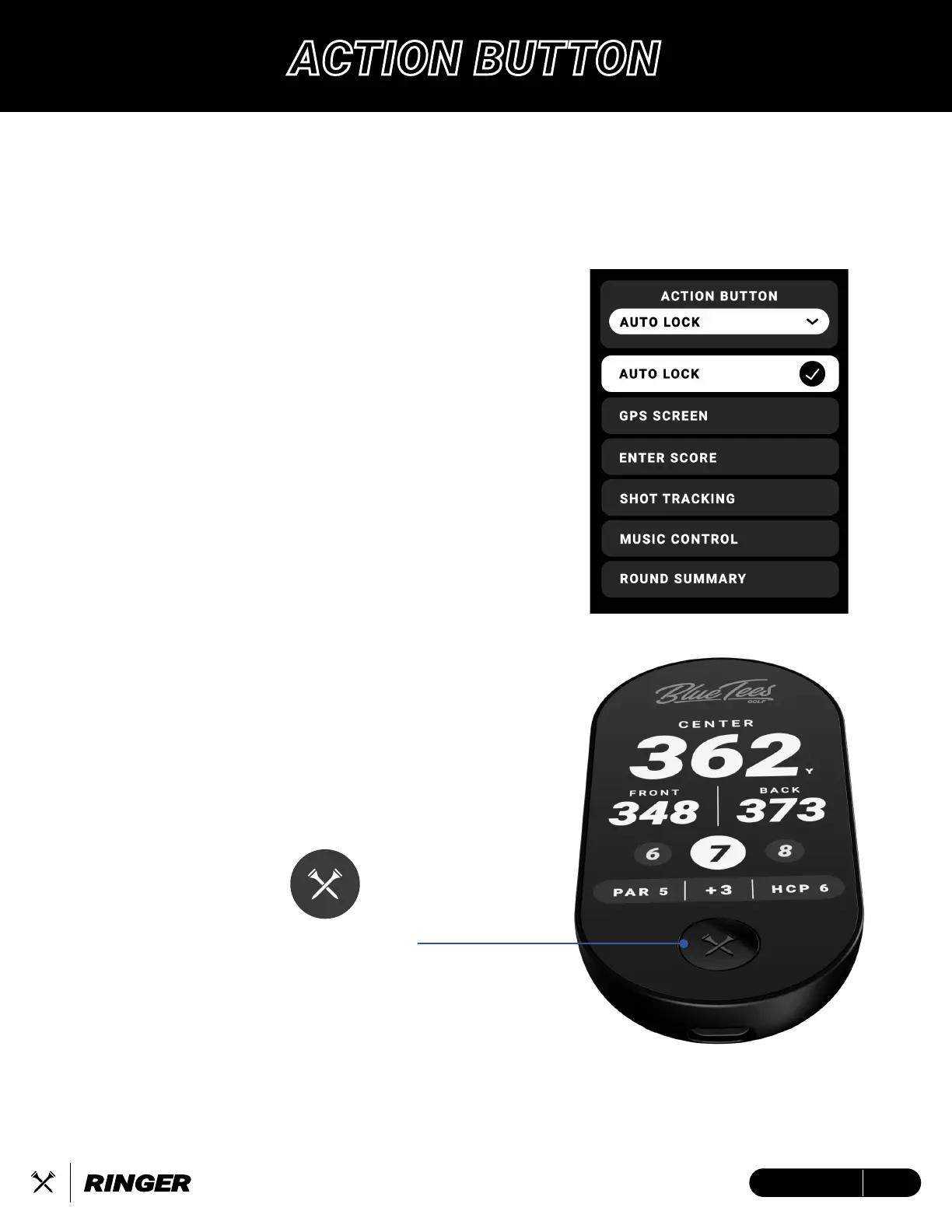
The Action Button creates a completely customizable, multi-functional experience in Ringer.
Press and hold the button for 3s to Power ON/OFF the device.
Customize a single-press shortcut for golf mode in your settings.
1. AUTO LOCK – Lock/Unlock the touchscreen display
• Ideal for pocket users
2. GPS SCREEN – Switches display to the Main GPS
Distance Screen
• Quick navigation to your main display
3. ENTER SCORE – Switches display to the Scoring
Screen (if turned ON in device settings)
• After each hole, easily enter your score with a
few taps
4. SHOT TRACKING – Press to activate shot tracking
from current location, press again to log shot and
start tracking next shot
• Track each shot distance by the press of a button
5. MUSIC CONTROL – Play/Pause/Skip/Last/Volume
controls for Player+ (sold separately)
• Requires Ringer & Player+ devices to be connect-
ed to the Blue Tees Game mobile app
6. ROUND SUMMARY – Review your current scorecard
and round statistics
• Evaluate your in-round progress of
fairways/greens in regulation, putts, and total
score
ACTION BUTTON
9ENGLISH


 To Next Page