14ENGLISH
SCORING
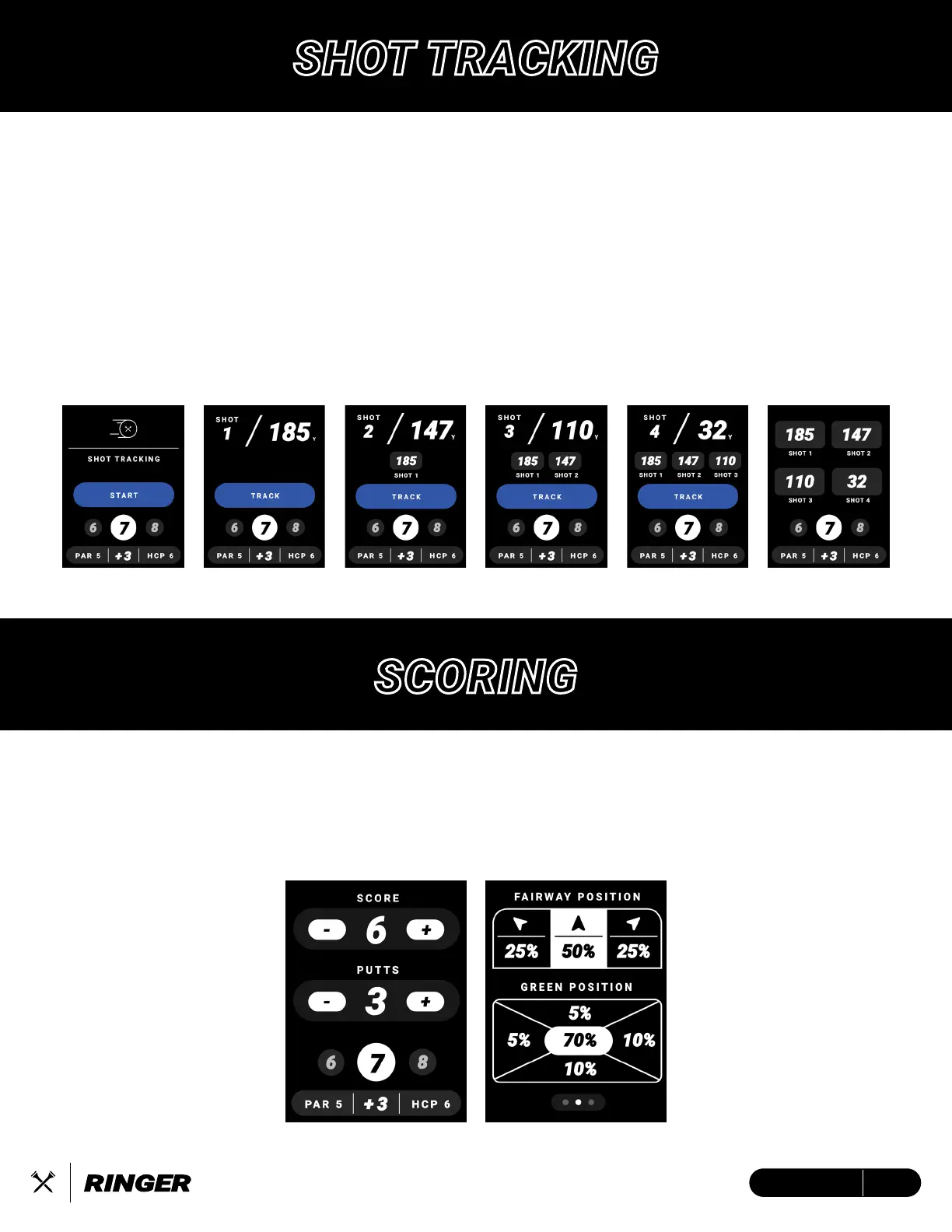
There are two (2) scoring modes that can be adjusted for in device settings. Simple Scoring will
allow you to record your score and putts per hole by pressing (+) button to increase or (-) button
to decrease. Advanced Scoring gives your more analytics to save with Fairway Position and
Green Position.
Track up to 4 shots per hole using the Ringer. When you step on the tee box, tap the “TEE OFF”
button to indicate where you are on the tee box and hit your tee shot. Once you located your tee
shot, tap the “TRACK” button to log your first distance. The distances will reset into your second
shot while keeping track of previous distances. You will repeat this process until you’ve logged 4
shots, where you will see a summary of your logged shots.
1. In your device settings, turn “Shot-Tracking” ON
2. To start shot tracking, select “START” to indicate your current location and once arrived at
shot location, tap “TRACK” to record the distance
3. Repeat Step 3 for remainder of desired shots.
SHOT TRACKING


 To Next Page