ABOUT DEVICE / SETTINGS
7ENGLISH
HOW TO START / SETTINGS
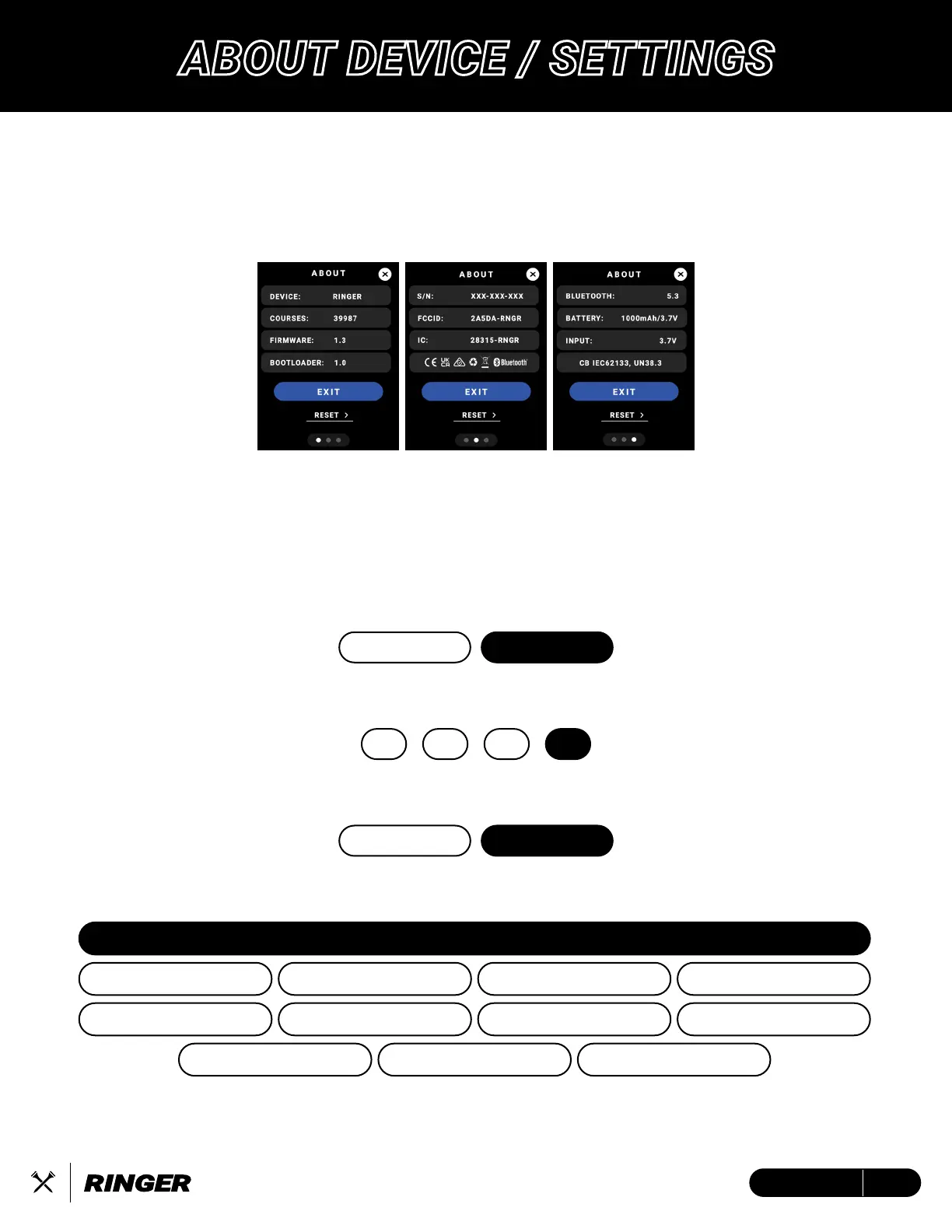
Tap the ‘i’ icon at the top of the screen for detailed information
about your Ringer GPS Handheld device.
Tap Reset to factory reset all device settings.
Create a fully customized experience within your device settings by turning on/off your desired
golf features, selecting your favorite color mode and brightness, choose your specific device
language, unit of measurement, and more. From the Main GPS Screen, swipe up/down to the
battery screen, tap ‘Settings’.
HOW TO START / SETTINGS
DARK is Default: Choose color mode
BLUETOOTH
Connect to the Blue Tees Game Mobile App
BRIGHTNESS
100 is Default: Select device screen brightness
25 50 75 100
LANGUAGE
ENGLISH is Default: Select device language
ENGLISH
SPANISH
ITALIAN
FRENCH
PORTUGUESE
FRENCH CANADIAN
SWEDISH
KOREAN JAPANESE CHINESE (SIMPLIFIED)
GERMAN
DUTCH
DARK
LIGHT
ON
OFF


 To Next Page