If Ringer does not power on:
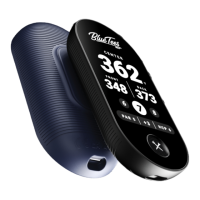
• Firmly press the ‘Crossed Tees’ Power/Action button for five (5) seconds
• Ensure your unit is fully charged, if power button does not respond after being fully charged,
contact customer support
If Ringer turns off while being used:
• Battery charge level is low, recharge battery for 3-4 hours
If LCD has poor quality:
• Firmly press the ‘Crossed Tees’ Power/Action button for five (5) seconds to turn OFF, keep
speaker power OFF for five (5) seconds, firmly press the ‘Crossed Tees’ Power/Action button
for five (5) seconds to turn ON
• If LCD screen does not respond after restarting, contact customer support
If Ringer will not pair via Bluetooth
• Move Ringer and mobile device within three (3) feet or one (1) meter of each other
• On your Ringer settings and mobile device settings, turn Bluetooth ON and ensure your
Ringer device is in pairing mode
If my Ringer remote control is not working:
• Ensure your Ringer device and Player+ speaker are registered and connected to the Blue
Tees Game mobile app
• After connecting both devices to the mobile app, navigate to the ‘Remote Control’ screen on
your Ringer device and tap the BLUE Crossed Tees button
If my Ringer disconnected from my mobile app:
• Ringer will enter auto-pair mode and reconnect once in range of your mobile device, if your
device does not reconnect, navigate to your device settings in the mobile app and select
“CONNECT”
TROUBLESHOOTING
22ENGLISH


 To Next Page