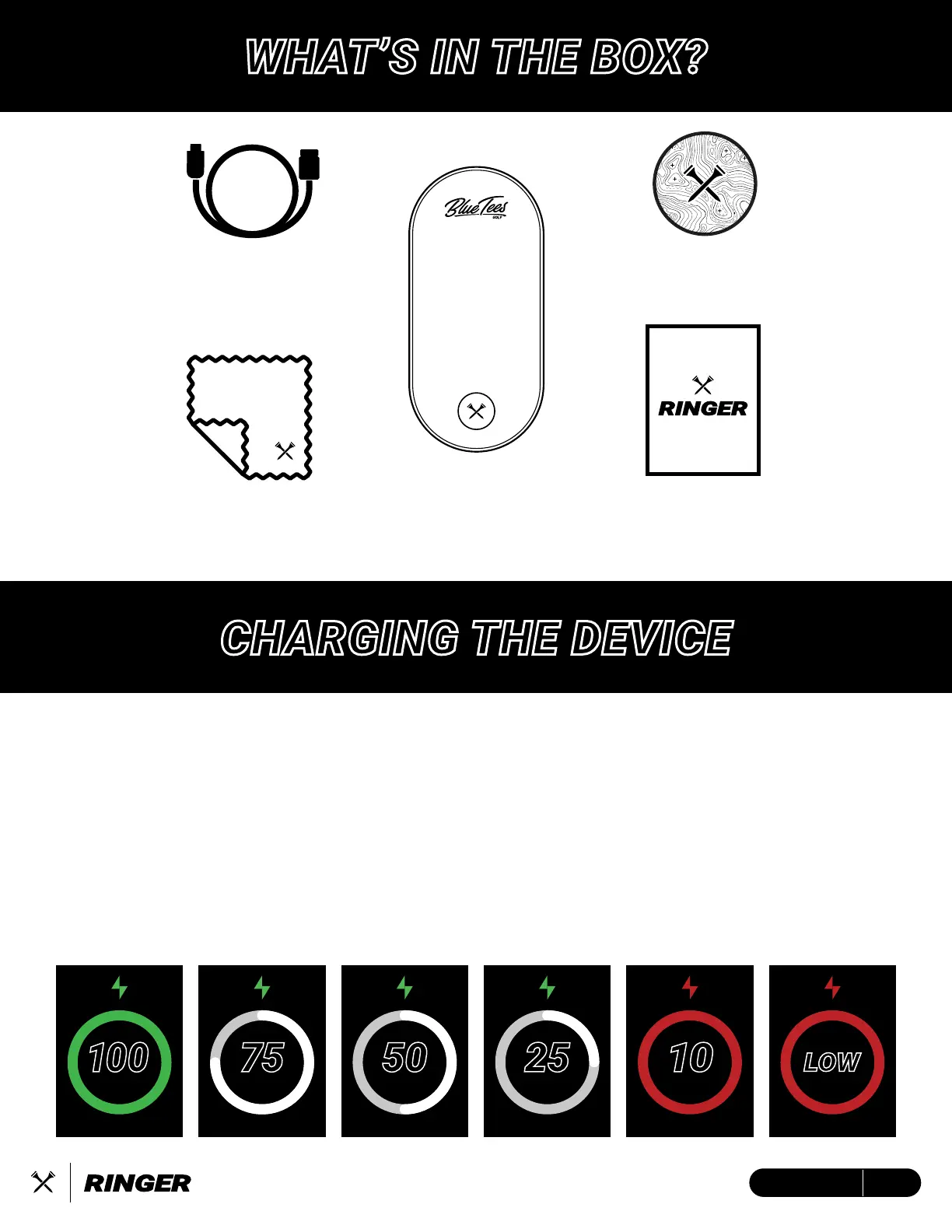
Blue Tees
Cleaning Cloth
USB-C to USB-A
Charging/Data Cable
Blue Tees Golf
Crossed Tees Sticker
Quick-Start
Guide
Ringer
Magnetic Touch
GPS Display
WHAT’S IN THE BOX?
CHARGING THE DEVICE
BAT TERY
25
BAT TERY
10
BAT TERY
LOW
BAT TERY
100
75
BAT TERY
50
BAT TERY
This device is powered by a built-in lithium-ion battery that can be charged using any standard
USB port on your laptop/computer or an AC adapter.
Note: This device will not charge/operate outside of the approved temperature range (page XX)
1. Locate the USB-C charging port on the device.
2. Insert the small end (USB-C) of the provided charging cable into the USB-C input port.
3. Insert the large end (USB-A) of the provided charging cable into an external power source,
such as a USB port on your laptop/computer or an AC adapter (min. 5V/2A).
4. Remain inserted for 2-3 hours or until device is fully charged.
5ENGLISH


 To Next Page