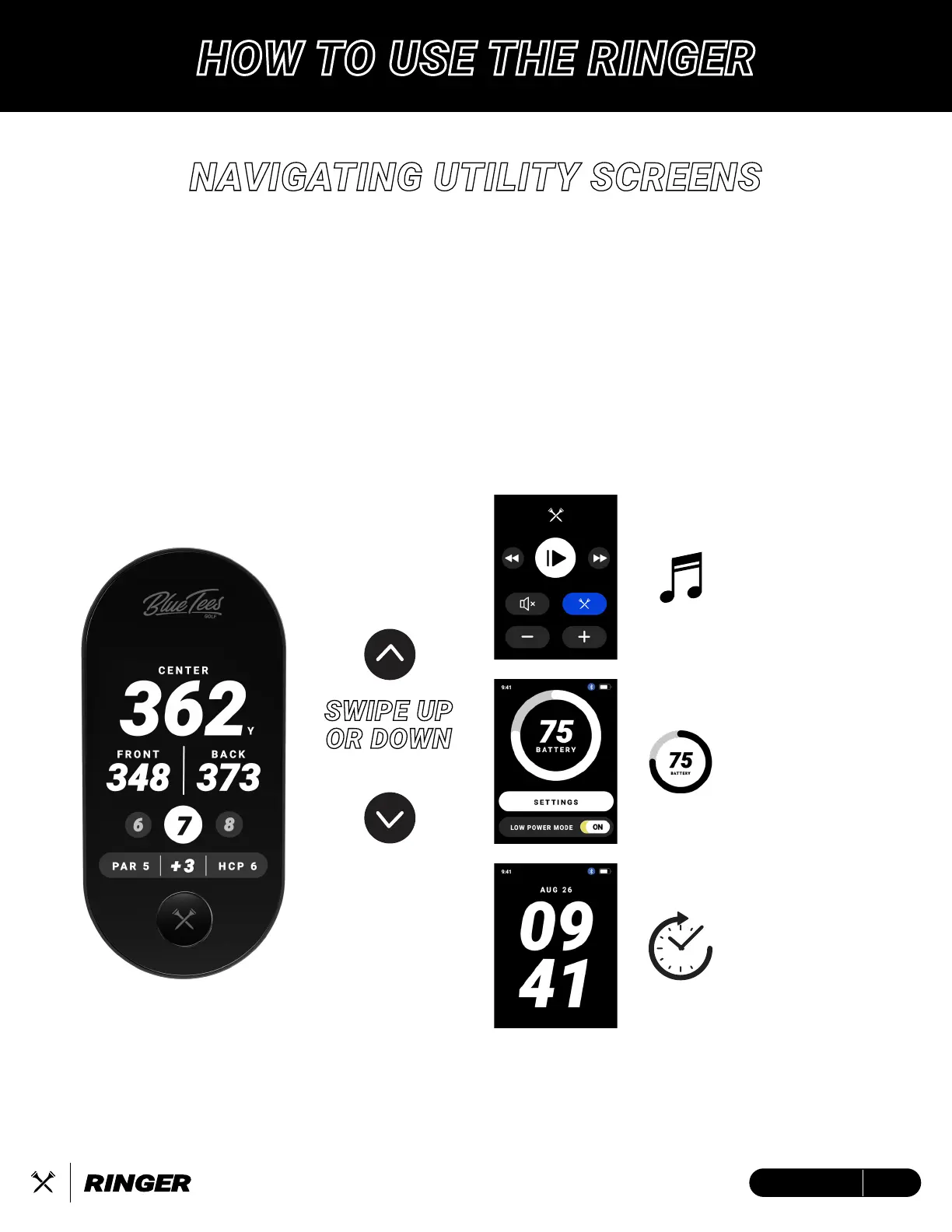
NAVIGATING UTILITY SCREENS
SWIPE UP
OR DOWN
TO CHANGE SCREEN
UTILITY SCREEN FUNCTIONS:
• MUSIC REMOTE* – Control the volume and music on your Player+ speaker
• BATTERY DISPLAY / SETTINGS – View your current battery life and customize your
experience
• TIME & DATE DISPLAY – Current time/date based on your device settings
* The Music Remote will only display when your Ringer device and Player+ speaker are connected to the Blue Tees Game mobile app
MUSIC
REMOTE
BATTERY
DISPLAY
TIME
DISPLAY
HOW TO USE THE RINGER
16ENGLISH


 To Next Page