RINGER SET UP
6ENGLISH
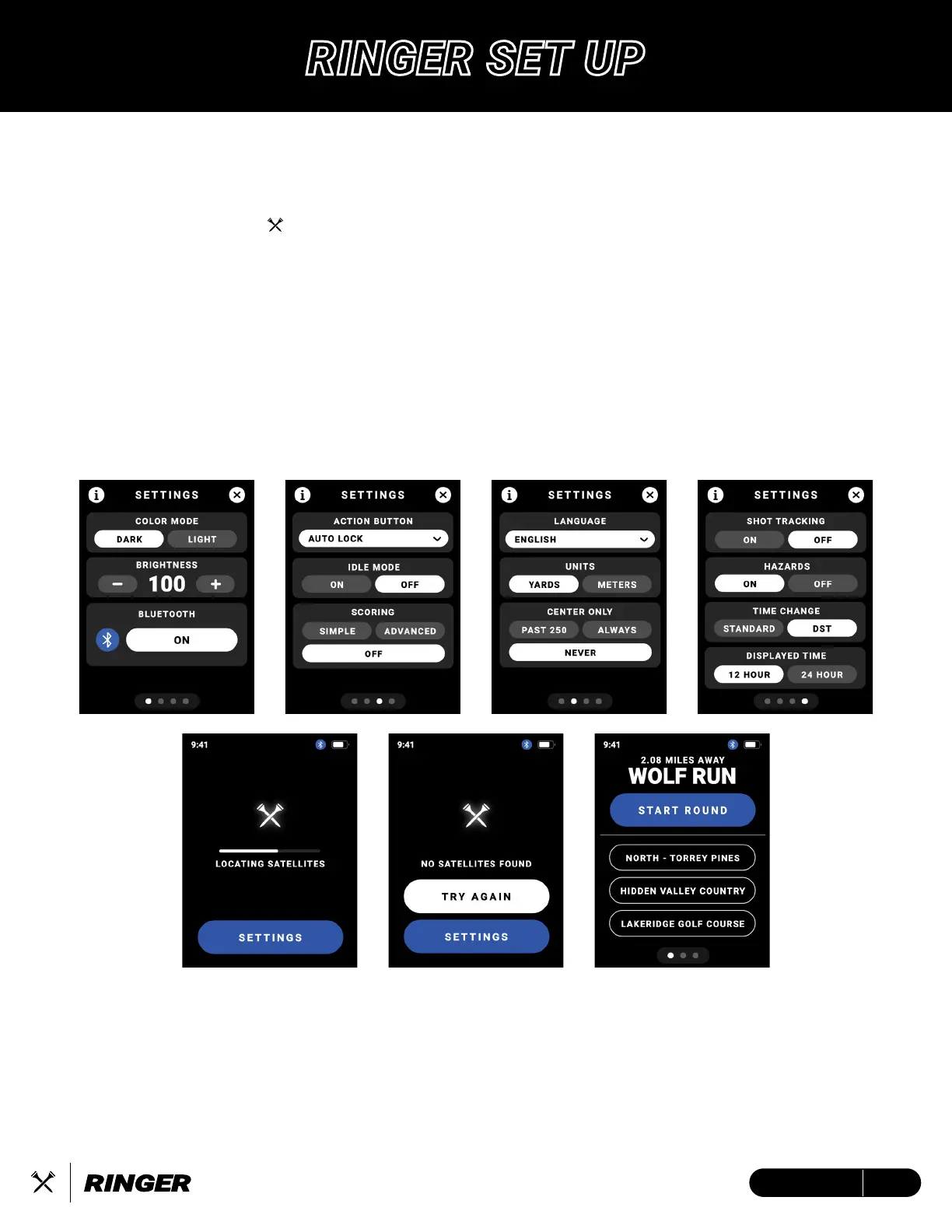
HOW TO START / SETTINGS
1. Press and hold the Crossed Tees Action/Power Button to Power ON.
2. Once powered on, allow up to 60s for the device to locate a GPS satellite connection.
• GPS satellite connectivity requires you to be OUTSIDE, at least 15 meters away from the
nearest building/tree.
3. While waiting for a satellite connection, use this time to navigate through your device
settings for a customized experience.
4. After satellite connection has been acquired, select the desired golf course of play and then
tap ‘Start Round”.


 To Next Page