AUTO LOCK
10ENGLISH
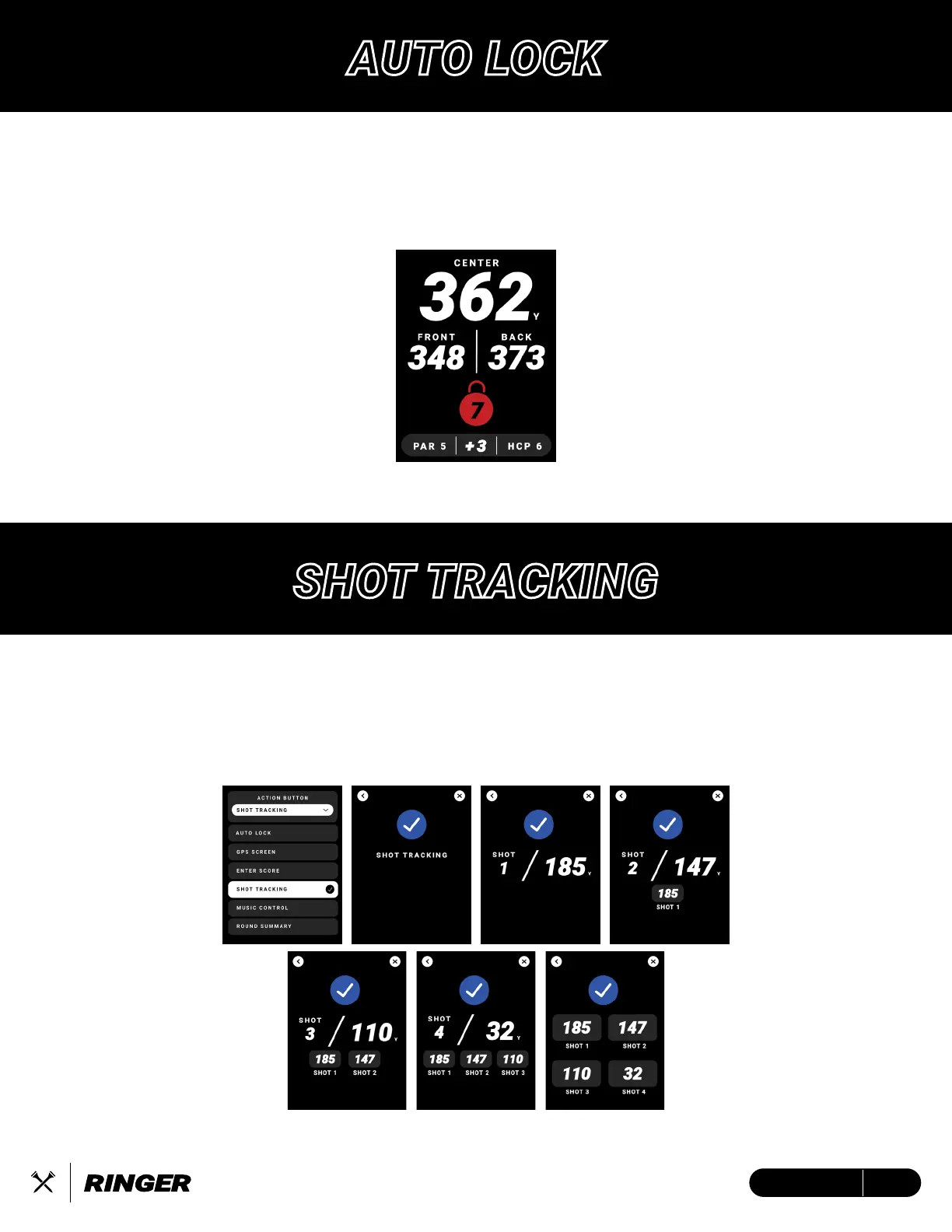
Auto Lock is a pocket-friendly feature that enhances the usability of the touchscreen display by
locking the screen in place. Save your device’s Action Button as ‘Auto Lock’ to lock/unlock your
touchscreen with the single press of the ‘Crossed Tees Action Button’
Screen will appear when LOCKED
Shot Tracking Pop-Up
SHOT TRACKING
• Press to activate shot tracking from current location.
• Press again to log shot and start tracking next shot.
• Tap the X to exit Shot Tracking Pop-Up (disappears after 3 seconds)
• Tap the < to undo action.


 To Next Page