•
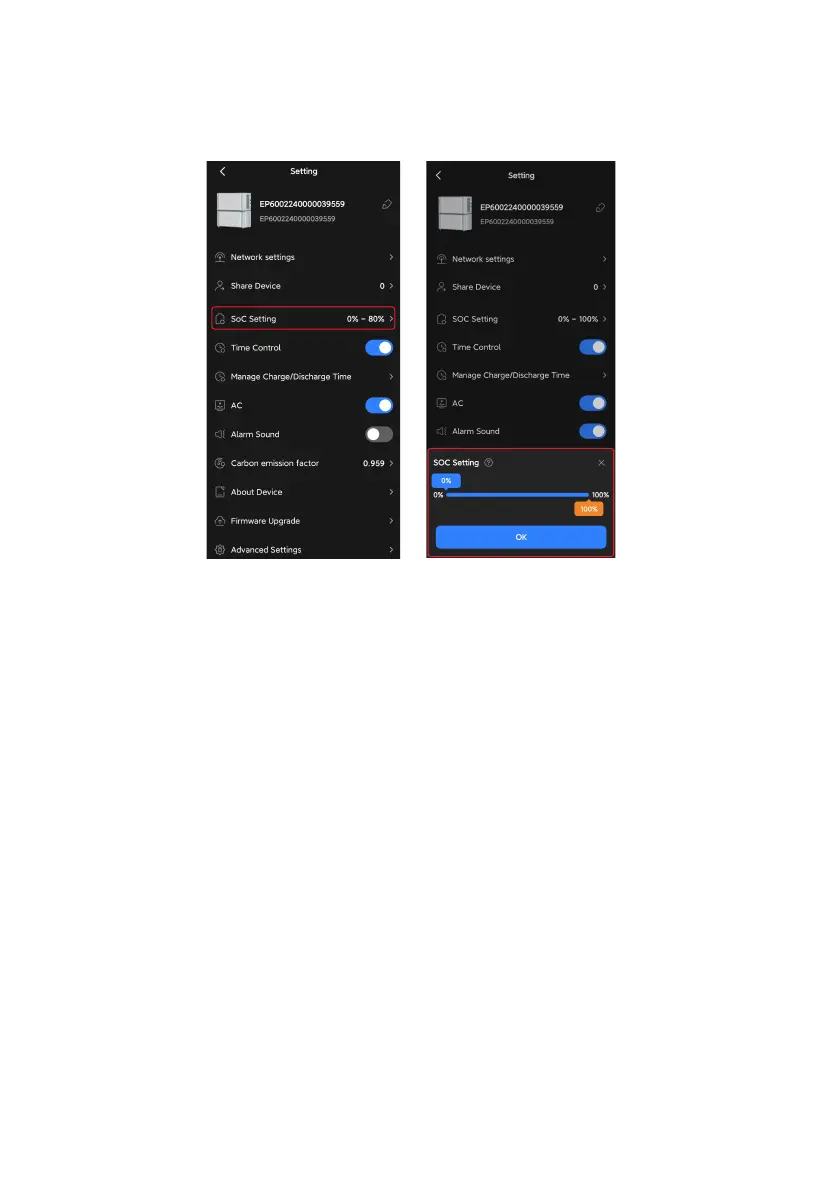
SoC Setting (For on-grid EP600 ESS only)
It allows you to set SoC limits for grid charging, grid feed-in, and load supply.
1.Tap SoC Setting and a pop-up shows up.
2.Slide the orange box to your desired SoC High value.
3.Slide the blue box to your desired SoC Low value.
4.Tap OK to save the settings.
SoC High: It's set to 80% by default. This means that the system will stop charging from
the grid when the battery level reaches 80%.
Note: The system acts as the main power source for your home.
SoC Low: It's set to 20% by default. This means that when the batterty level drops below
20%, the system will stop supplying power to your loads and the grid.
Note: The grid will bypass the EP600 inverter to power your loads.
16



 To Next Page