with tyre pressure monitoring
(RDC)
OE
Tyre pressures
with on-board computer
OE
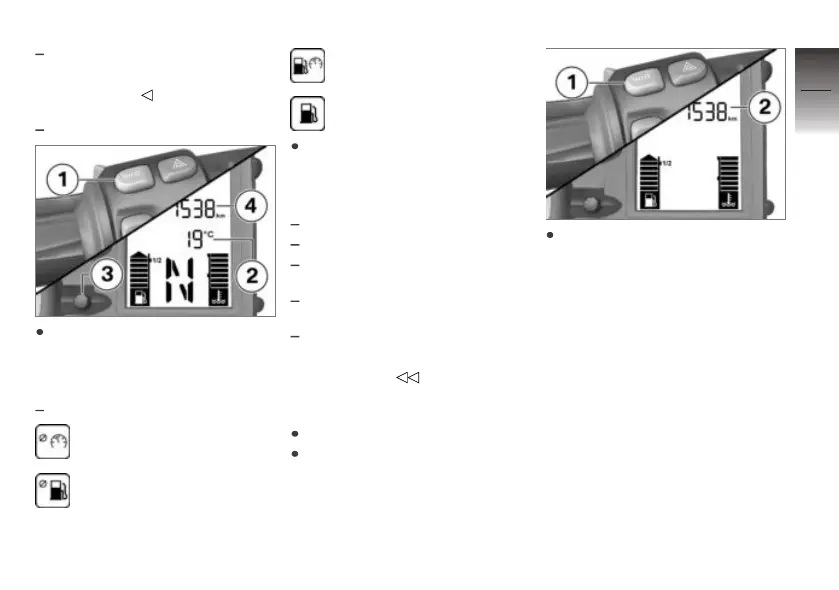
Press button 1 to select the
reading in values area 2.
The following values can be dis-
played:
Ambient temperature
Average speed
Average consumption
Current consumption
Distance travelled since fuel
down to reserve
Press button 3 to select the
reading in values area 4.
The following values can be dis-
played:
Odometer (shown)
Tripmeter 1 (Trip I)
Tripmeter 2 (Trip II)
Warnings, if applicable
with tyre pressure monitoring
(RDC)
OE
Tyre pressures
Resetting tripmeter
Switch on the ignition.
Select a tripmeter.
Press and hold down button 1
until tripmeter 2 reading is re-
set.
4
43
z
Operation


 To Next Page