Apple CarPlay
With connected function: access to Apple
CarPlay. Apple CarPlay allows certain functions
of a compatible Apple iPhone to be used.
Android Auto
With connected function: access to Android
Auto. Android Auto enables certain functions of a
compatible smartphone to be operated by voice
control and iDrive.
Widgets
Widgets show real-time information and dynamic
contents, for example the map of the navigation.
The widgets also serve as buttons and allow
jumping to the relevant menu.
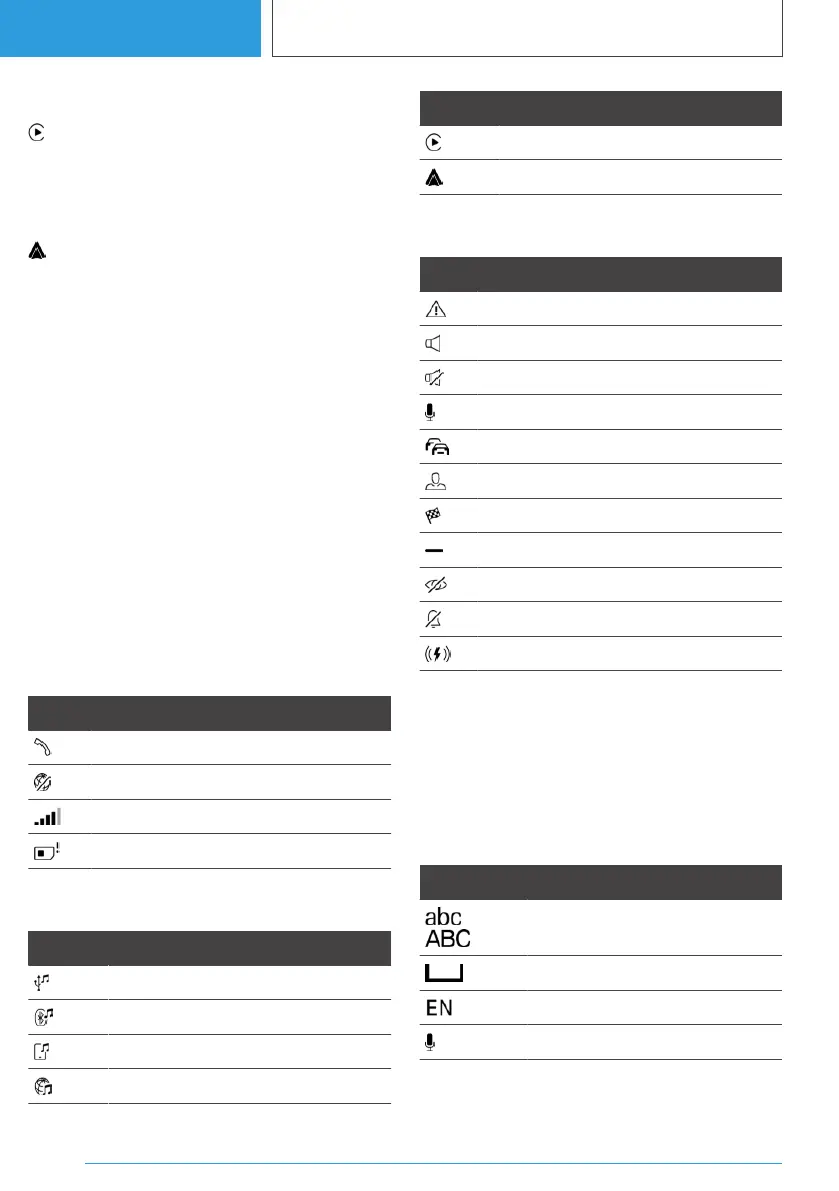
Status information
General
The status field is located in the top area of the
control display. Status information is displayed in
the form of icons.
Telephone status information
Icon Meaning
Active call.
Data transfer not possible.
Signal strength.
SIM card missing.
Entertainment status information
Icon Meaning
USB audio.
Bluetooth audio.
Smartphone audio.
Connected Music.
Icon Meaning
Apple CarPlay.
Android Auto.
Other status information
Icon Meaning
Check Control message.
Sound output active.
Sound output deactivated.
Activation word active.
Traffic information.
BMW ID or driver profile.
Route guidance active.
Quicklist.
Suppress private information.
Do not disturb.
Wireless charging active.
Digit input and display
Letters and numbers
Letters and numbers can be entered using the
Controller, the touchpad, touchscreen or voice
control. The keyboard display changes automati‐
cally.
Icon Function
To switch between upper and
lower case.
To enter a space.
To switch between languages.
To use voice input.
Seite 56
CONTROLS
iDrive
56
Online Edition for Part no. 01405A38CB9 - VI/21



 To Next Page