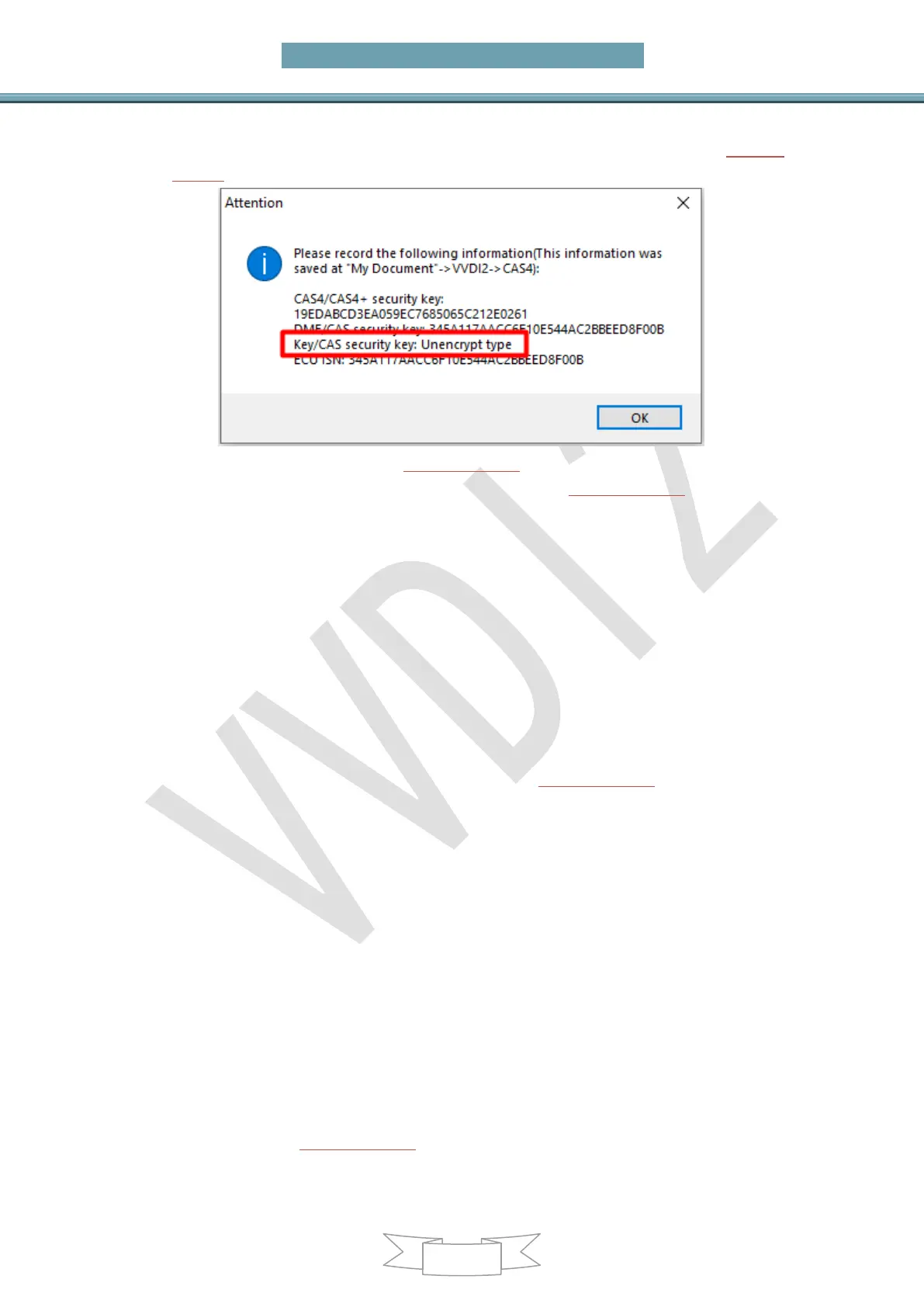
original car ISN info. If you have the original key, just read original car key info and it
will show whether CAS4 is encrypted version or unencrypted version. (PICTURE
6.2-3)
(PICTURE 6.2-3)
OBD Read D/P and exchange CAS4. See the picture (PICTURE 6.2-4)
Function one: replace CAS4
First read and save the immo data of CAS4 and backup D-PLSH (EEPROM) and
P-FLASH, and then connect to a new CAS4 to write.
If it is an encrypted version of CAS4, you need to modify the ISN, click "encrypt
version" and then follow the prompts to modify
Function two: repair key function
The original key does not start
Original key not start issue almost belong to CAS4 encrypt version, unencrypt version
have very little issue like this,
The original car key is work normal before unlock CAS4/CAS4+, but after unlock or
add key, the original key will not to start the car. Put the original key into the device
coil and click on "CAS4 (5M48H/1N35H) fix start".(PICTURE 6.2-4)
If the new key does not start, the original key is normal. If it is encrypted version
check whether the ISN is correct, then change another key position and change a
new key close to ignition switch to match again. If it is unencrypted version, change
another key and another key position, put the key close to ignition switch to match
again.
The original key remote/keyless not work
1. One of the original key or new key is not work:
A) Erase the add key and check whether the original key work. After it is work,
close the new key directly to the ignition switch to let the car learn automatically.
After learning, all key and all function will work
2. Both the original key and the new key are not work:
A) Erase the new key, check whether the original key work, if not work perform
next step
B) Restore the code that was backed up before Unlock CAS4/CAS4+, back to
the interface (PICTURE 6.2-4), click "Restore Coding" to load the code that was
saved before the unlock CAS4/CAS4+, after restore code, check whether it work,


 To Next Page