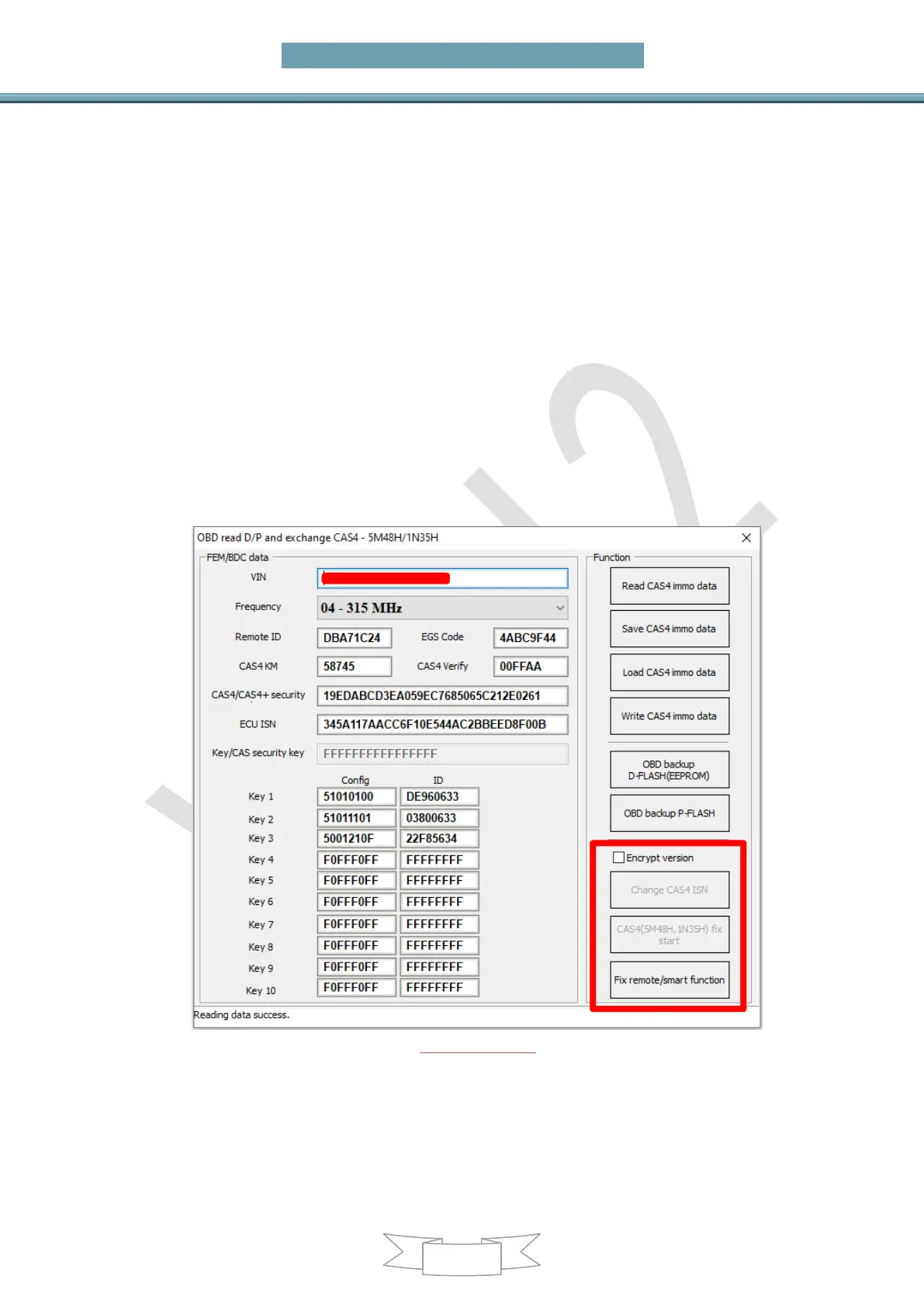
if not work perform the next step
C) Click "Fix remote/smart function". Put the original key into the device coil
and accord to prompt click to fix, check whether it is work after fixed, and perform
the next step if it not work
D) If try above method all, it still doesn't work. Power off CAS4, read the key
info, there will prompt that the remote ID and EGS code are lost. First click on
"Fix remote/smart function", and check whether it is work after fix. If it is not
work, "Read CAS4 immo data", check whether the "Remote ID" and "EGS
Code" are correct. If it shows all F, re-click on "Fix remote/smart function" to
read again until it correct (not display all F). Click "Write CAS4 immo data" and
write 10 times to check whether the key is work. If it is not work, power off the
CAS and power again, the key will work
3. All key lost, the new key remote or keyless function not work:
A) The most common situation is that the key version and frequency are
incorrect. Erase the new key, replace the key with the corresponding version and
frequency, and learn again
B) If failed, follow step 2 ->>> D) to repair
(PICTURE 6.2-4)
Enable key: This function need a key that can start the car, select a key position that
you want to enabled, and click on enable key. The key at this position will work after
enabled. This function can be completed without unlock CAS4/CAS4+
Disable key: This function need a key that can start the car, select the key position
that you want to disabled, and click on disable key. The key that needs to be disabled


 To Next Page