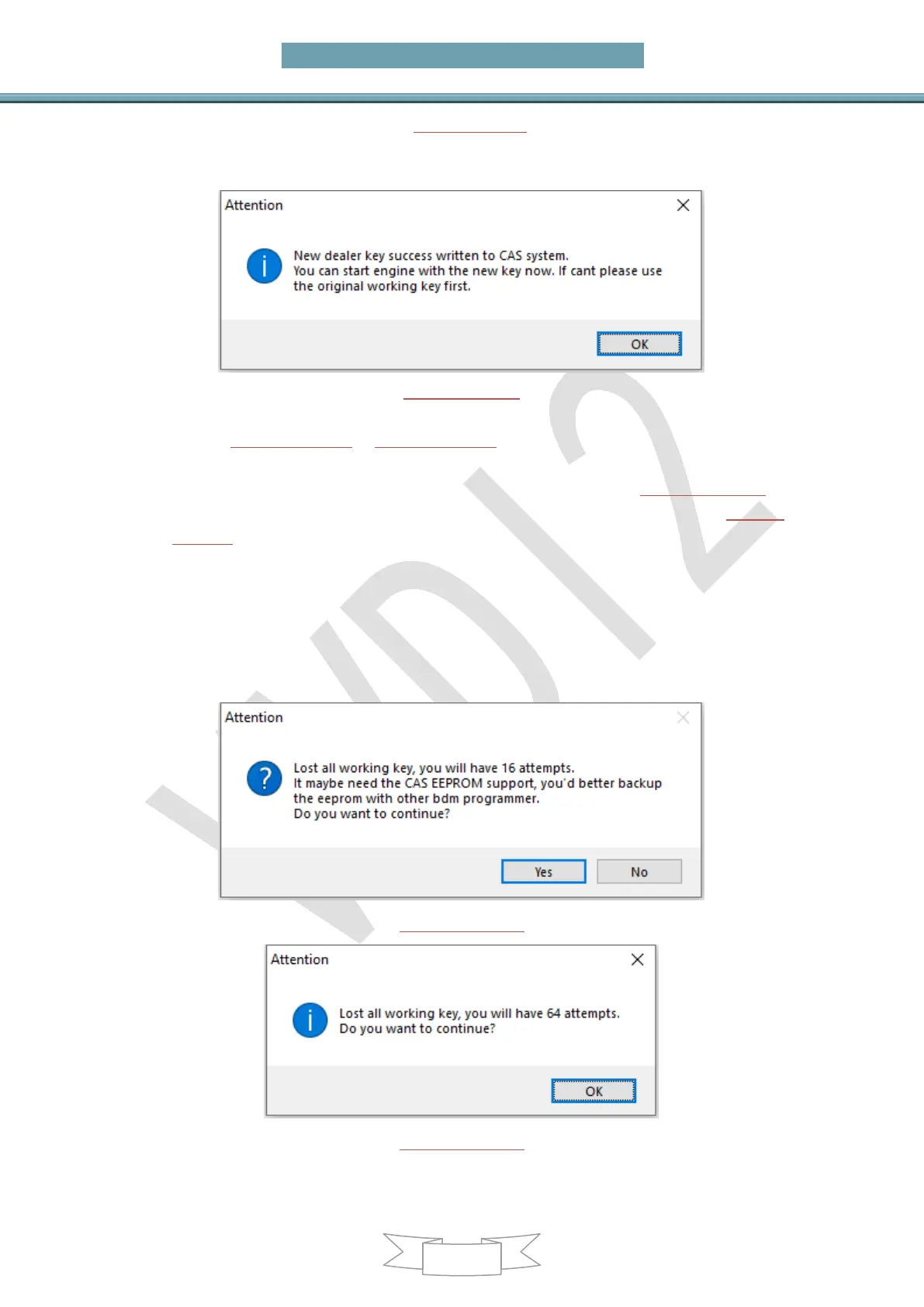
After add key to CAS get window (PICTURE 6.3-9): When you get this window, the key
was add to CAS system successfully. Key can start car now. Sometimes add new key
for CAS1/CAS2/CAS3 will cause car not start, you can refer chapter 4 Special Note 2
(PICTURE 6.3-9)
Under all key lost for CAS3+ encrypt version (File Make key also have this) get
window (PICTURE 6.3-10) or (PICTURE 6.3-11): For CAS3+ encrypt version, all key lost
will have a special procedure to make working key (this procedure maybe need load
EEPROM dump). By insert temp key to ignition and try start. (PICTURE 6.3-10) is
CAS3+ encrypt version (not ISTAP) window, at most need 16 times try start.(PICTURE
6.3-11) is ISTAP version window, at most need 64 times try start
Attention: For ISTAP version, There is a few car can’t find useful combine data after
64 times try start, because the CAS lost some verify data, you need select File Make
Key->Known ISN to prepare key
Attention: If you press “Yes” and get prompt like “Cannot find useful combine data,
please check the EEPROM file”, means the CAS lost some verify data, you need
select File Make Key->Known ISN to make working key
(PICTURE 6.3-10)
(PICTURE 6.3-11)
Under lost all key for CAS3+ encrypt version (File Make key also have this) get



 To Next Page