easy to cause damage or loss data. The phenomenon after the loss: Abnormal
noise of the car's electrical appliances after the data is restored or program failed.
Replace the chip and write the original data will solve
Power off when soldering or writing/reading chips, and restore power accord to
prompt
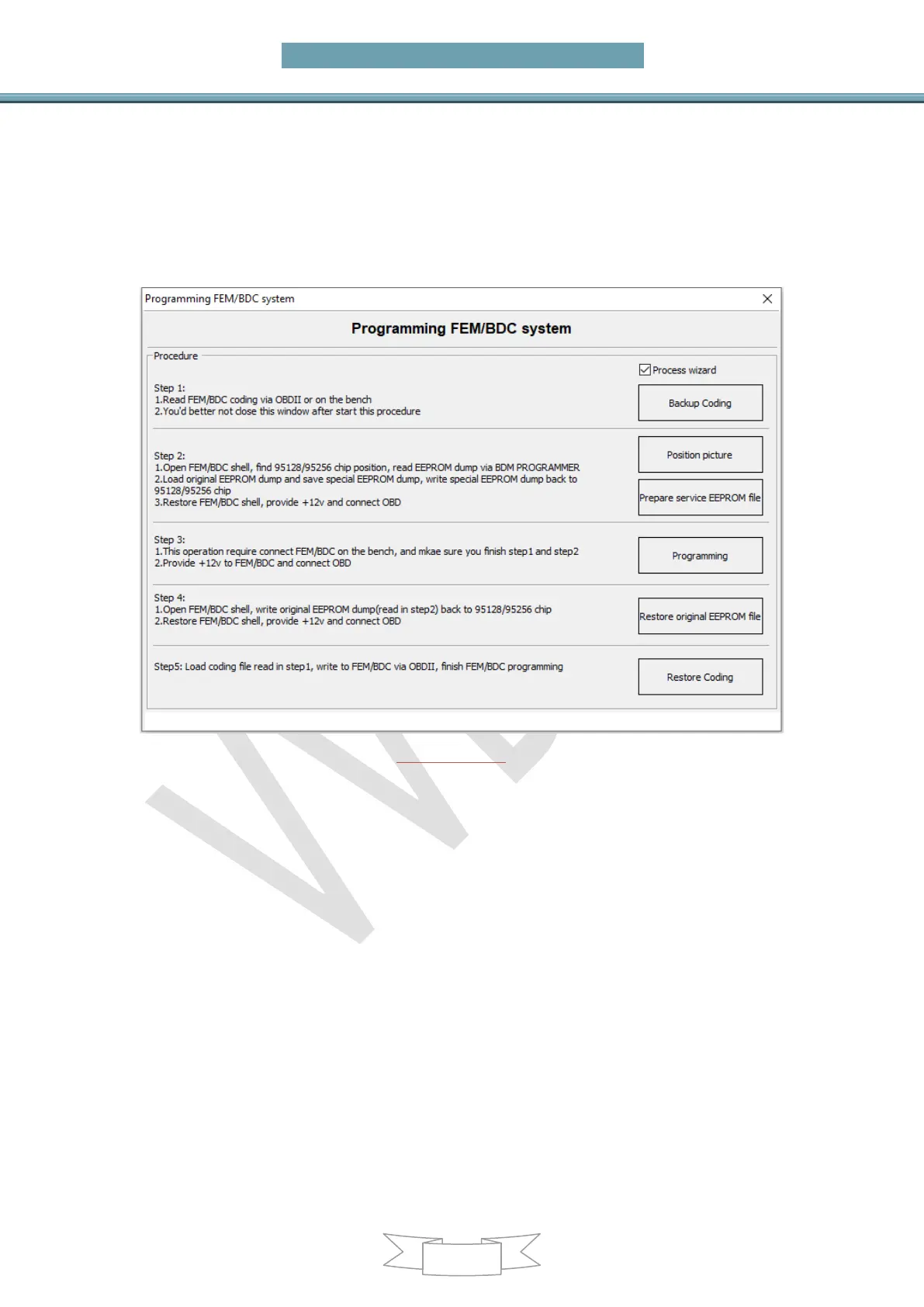
It is required to complete these steps before doing other operations, and do not
exit to operate other operations during the Programming FEM/BDC system
(PICTURE6.6-2)
Upgrade FEM/BDC system: Upgrade the FEM/BDC system that does not support
Programming FEM/BDC system or Reset KM. After the upgrade, you can directly
Programming FEM/BDC system and Reset KM. Attention: Most of them can be
programmed successfully. Please process program/code when failed, refer Chapter 9
and 9 for details
Backup Coding: Back up the FEM/BDC code, and you must Backup Coding before
Programming FEM/BDC system
Restore Coding: When the code needs to be restored, load and write the backup
code in Backup Coding step
Prepare dealer key with ignition switch: Prepare dealer key that can start the car
via ignition switch. It is recommended to use a blank key position to generate a new
key. Prepare dealer key needs ISN, get ISN from the original key when add key, and
disassemble and read the ECU to get the ISN when all key lost
Exchange FEM/BDC: Exchange the car module, it is required Programming
FEM/BDC before run this function
Function introduction:
The Incorrect operation or unknown reasons during FEM/BDC system match key


 To Next Page