EN/21
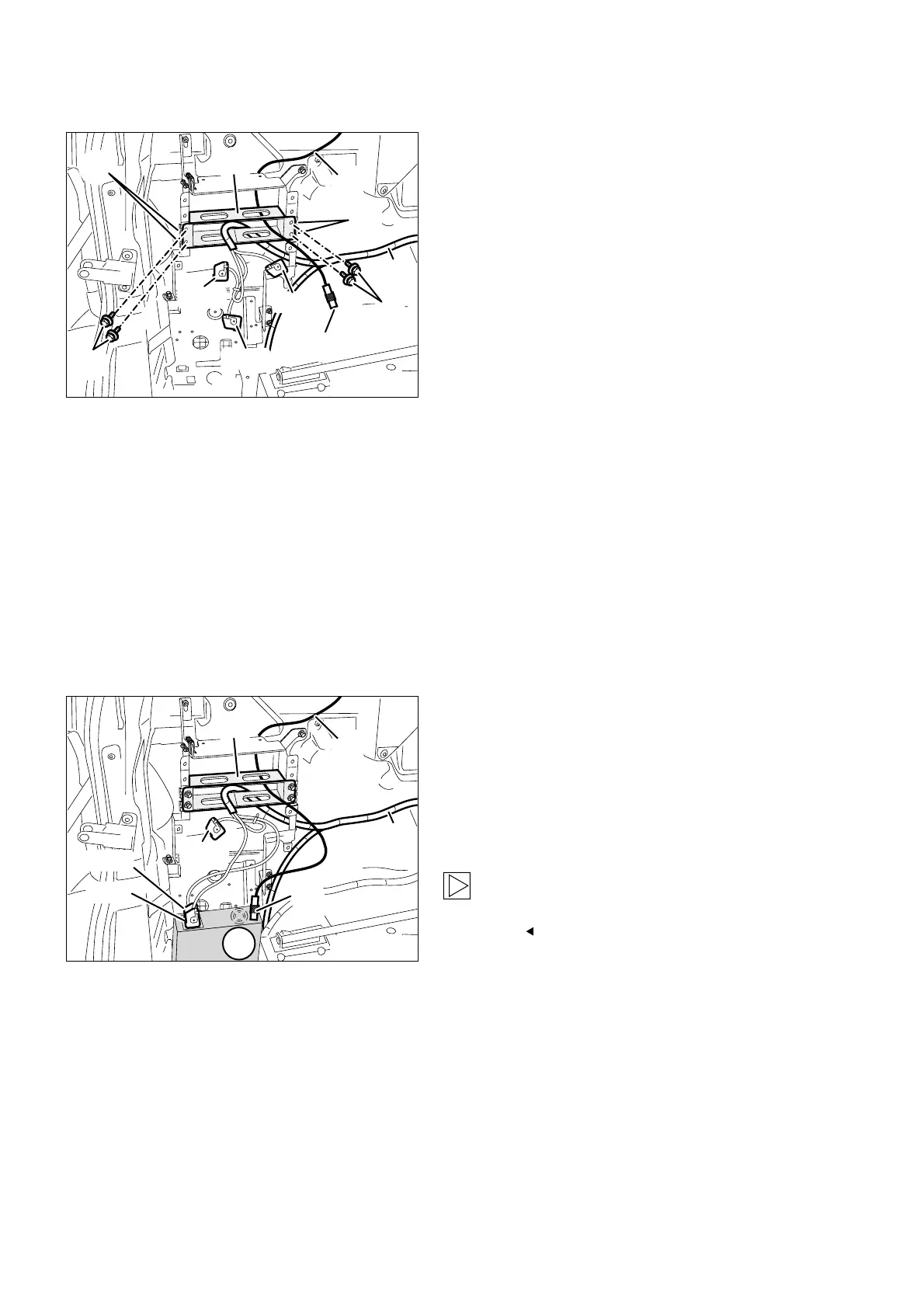
Secure the navigation computer holder (18) using
four hexagonal screws with washers M5x14 (21)
to the speed nuts M5 (22) you fitted previously.
Thread branches A22 and A24, blue 18-pin
socket casing, and branch A23, Bordeaux 18-pin
socket casing on the on-board monitor wiring
harness A, from the rear through the navigation
computer holder (18).Tie back branch A24, with
the sticker "NAVI+TV” on branch A22, with the
sticker "NAVI” using a cable tie.
Also thread branch B2, coaxial socket casing
on the aerial extension for the GPS aerial B,
from the rear through the navigation computer
holder (18).
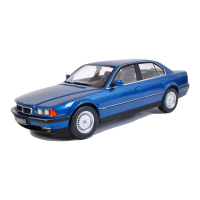
10. To install the navigation system
Connect branch A22, blue 18-pin socket casing
with the sticker "NAVI” and the tied back branch
A24 on the on-board monitor wiring harness A,
to the navigation computer (19).
Connect branch A23, Bordeaux 18-pin socket
casing, to the navigation computer (19).
Connect branch B2, coaxial socket casing on
the aerial extension for the GPS aerial B, to the
navigation computer (19).
When you slide in the navigation computer (19)
ensure that no cables or lines are jammed or
damaged.
Slide the navigation computer (19) into the
navigation computer holder (18) until it engages.
Retrofit/Installation kit No. 65 90 0 025 169 Issue date: 10.2001
Installation instructions No. 01 29 0 030 090



 To Next Page