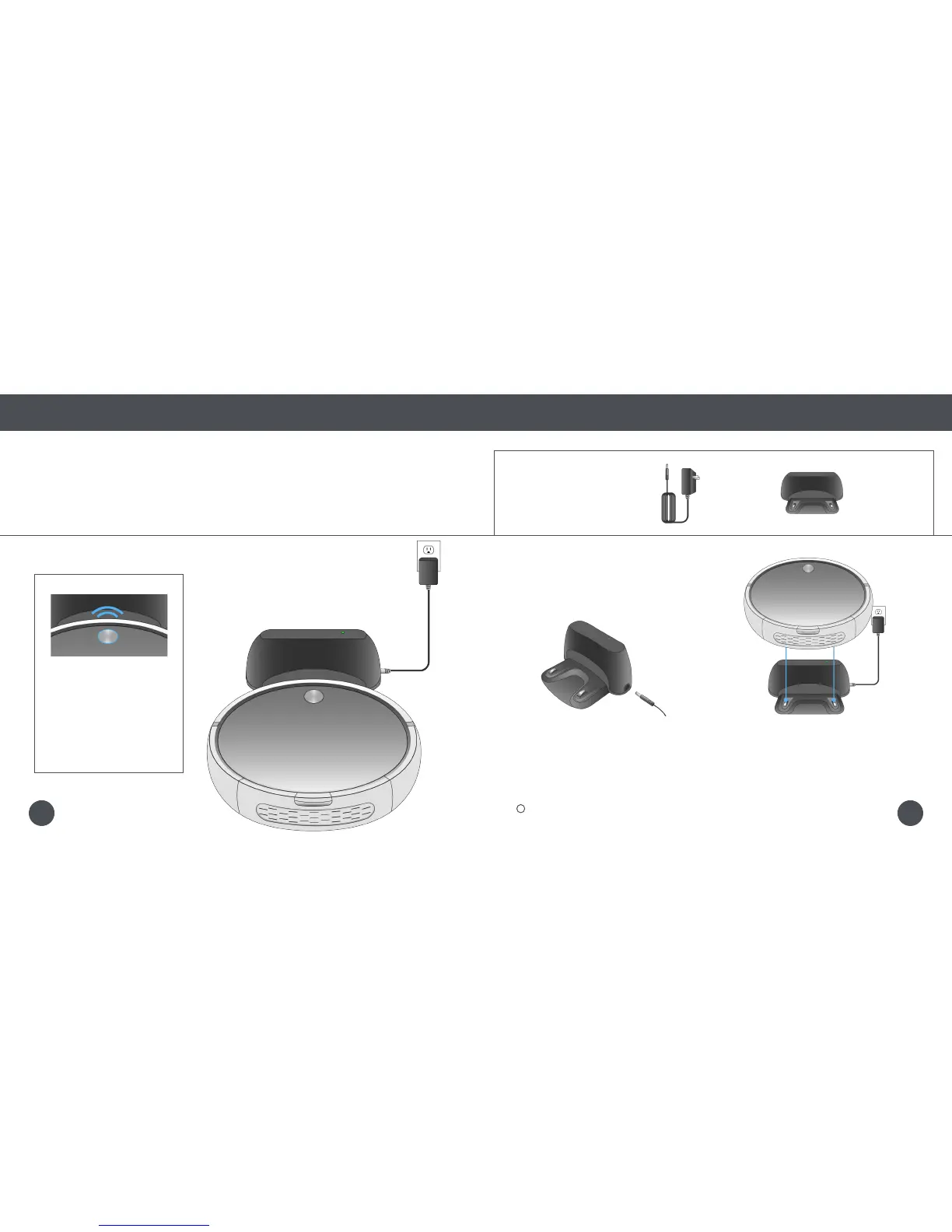
Step 1: Charge Bob
Allow Bob to fully charge before using him for the rst time.
Quick Start
Getting Started
Get Bob Started: Bob will be ready to clean in just 2 easy steps.
1. Plug the power adapter into the side
of the charging station. The station’s
green power light will turn on.
2. Place Bob on his charging station with
the metal plates on his underside sitting
on top of the nodes on his station.
Bob will chirp once and
slowly blink his cover button
to let you know that he is
charging.
When Bob has fully charged,
his cover button will stop
blinking and remain solid.
The green light on the station will be turned off while Bob is charging.
Quick Tip:
Parts You’ll Need: Power Adapter Charging Station
1211















 To Next Page