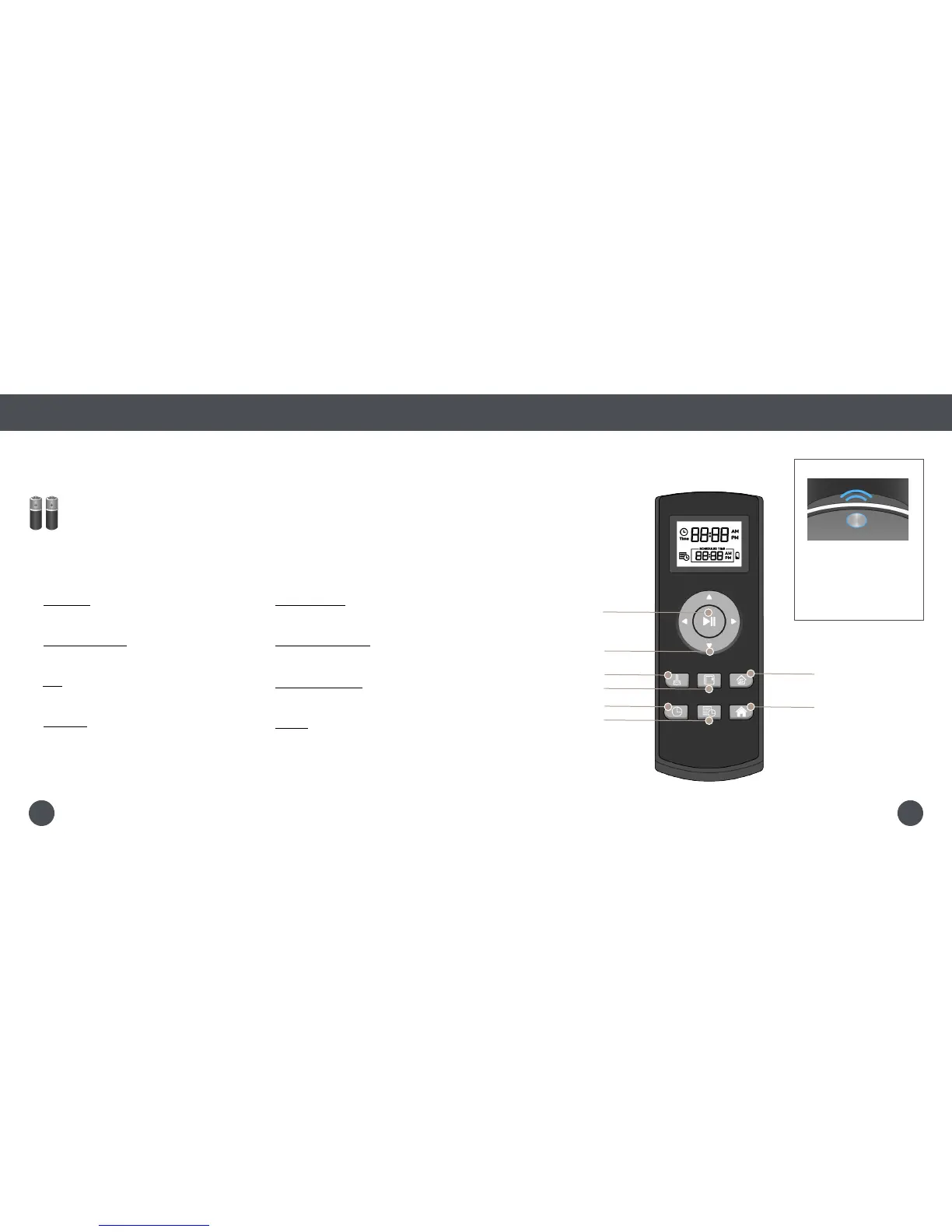
Remote Buttons
Quick Start
Remote Control
Remote Buttons
1 Start / Stop
Starts or pauses Bob’s movements.
2 Navigational Butons
Guide Bob forward, backward, right, or left.
3 Auto
Puts Bob on his default setting (Robot mode).
4 Wall Track™
Sends Bob to clean along walls and corners.
5 Set Current Time
Sets the current time.
6 Set Cleaning Schedule
Sets Bob’s cleaning schedule.
7 Quick Clean (30 min)
Sends Bob to clean for 30 minutes.
8 Charge
Sends Bob to his charging station.
1
2
3
4
5
6
7
8
Bob’s FullCommand™ remote requires 2 AAA batteries (not included). Remove the batteries
if you are not using the remote on a regular basis. Keep the remote at room temperature.
When Bob is on, he
chirps every time he
receives a command
from his remote control.
2423















 To Next Page