Quick Start
Charging Station
Bob will automatically return to his charging station when low on battery. To maximize Bob’s chance
of nding his station, place it in an easily accessible location with plenty of space around it.
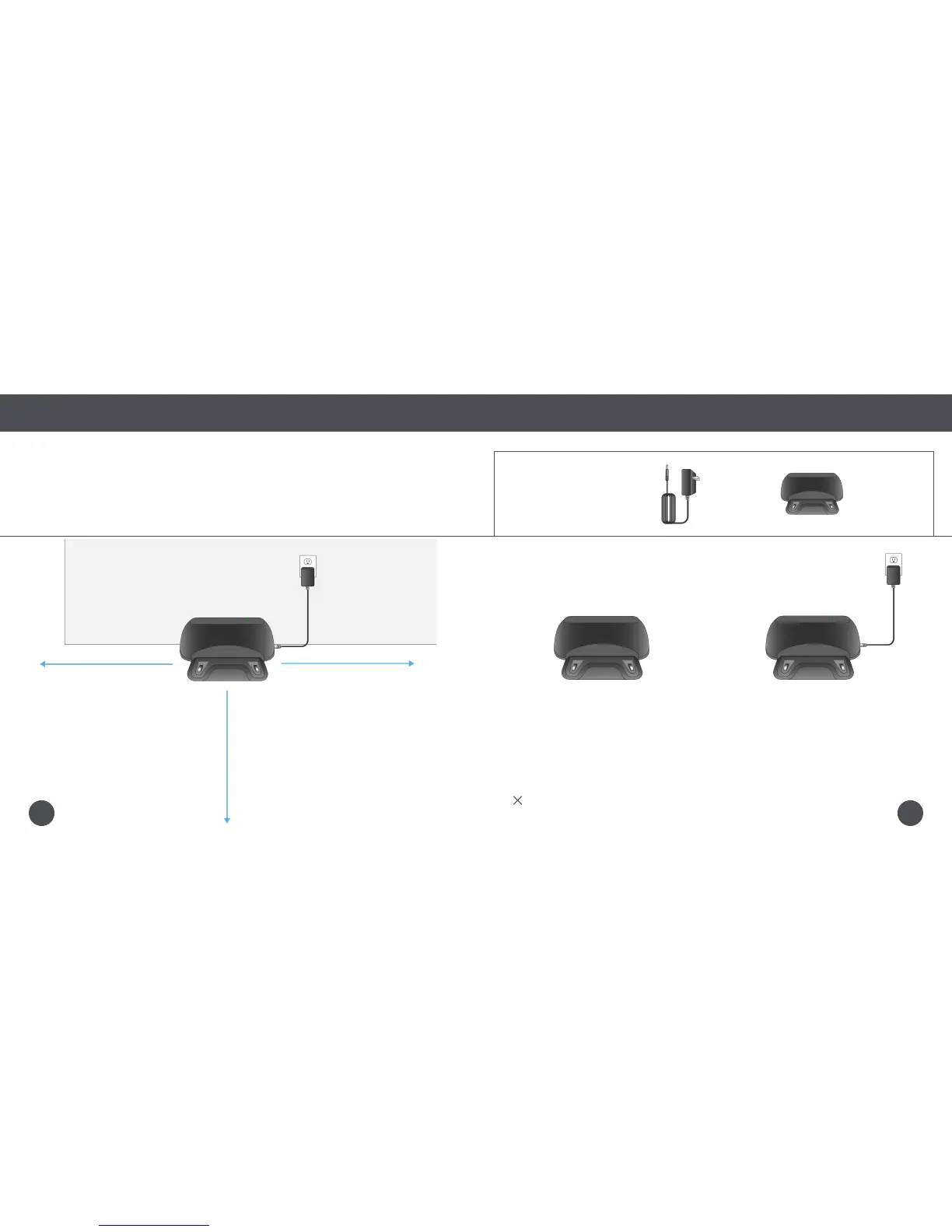
1. Position the charging station against a
wall on a hard, at surface. If possible,
avoid positioning the charging station
on carpet or soft surfaces.
2. Make sure there is at least 10 feet
(3 m) of open space to the front and
2 feet (0.6 m) of open space to the
sides of the station.
Charging
Charging Station
Do not move Bob’s charging station while he is working.
Quick Tip:10 feet (3 m)
2 feet (0.6 m)2 feet (0.6 m)
Parts You’ll Need: Power Adapter Charging Station
1817















 To Next Page