16
VI - WHAT TO DO IF...? ...CHECK.
What to do if...? … Check.
• The clock (powered by
battery) had stopped.
• The battery has run out. Replace the battery.
Resetting of the time and date is, automatic for radio
synchronised clocks, manual for independent clocks.
Dust on the battery contact terminals (+ and -) can disrupt the
power supply to the clock. Clean these contact terminals with a
soft dry cloth, if necessary.
• The second hand of a battery
operated clock has stopped but
the clock is on time.
• Battery threshold is low (less than 1.15V); the second hand
has stopped to second 0 to preserve the batteries.
Replace the batteries.
• No synchronisation after the
installation.
• Check that the type of signal send by the master clock (min, ½
min, AFNOR/ Irig-B) is in accordance with the type programmed
in the clock.
• A receiver clock on a ½
minute network is 30s alter after
the installation.
• It is impossible for a slave clock to discern between two 1/2
minute impulses which one is the master clock minute stroke,
the reversal of the two wires is needed to correct the time.
• Minute or ½ minute parallel
receiver stopped.
• Lack of impulse, check the master clock and the network.
• ½ minute serial network
stopped.
• Check that the network is not cut off.
Measure the in line intensity and check if it is enough (from 65 to
100 mA).
• AFNOR / Irig-B receiver
stopped at 12h00.
• Lack of impulse since more than 1 hour, check the master
clock and the network.
• DHF clock stopped at 12h00. • No time message received for more than 24 hours, check the
master clock and the DHF transmitter or batteries have run out
then replace the batteries.
• Switch again a DHF clock to
“initialisation” mode.
• When locked to a transmitter, wireless
conguration is saved into the
EEPROM
.
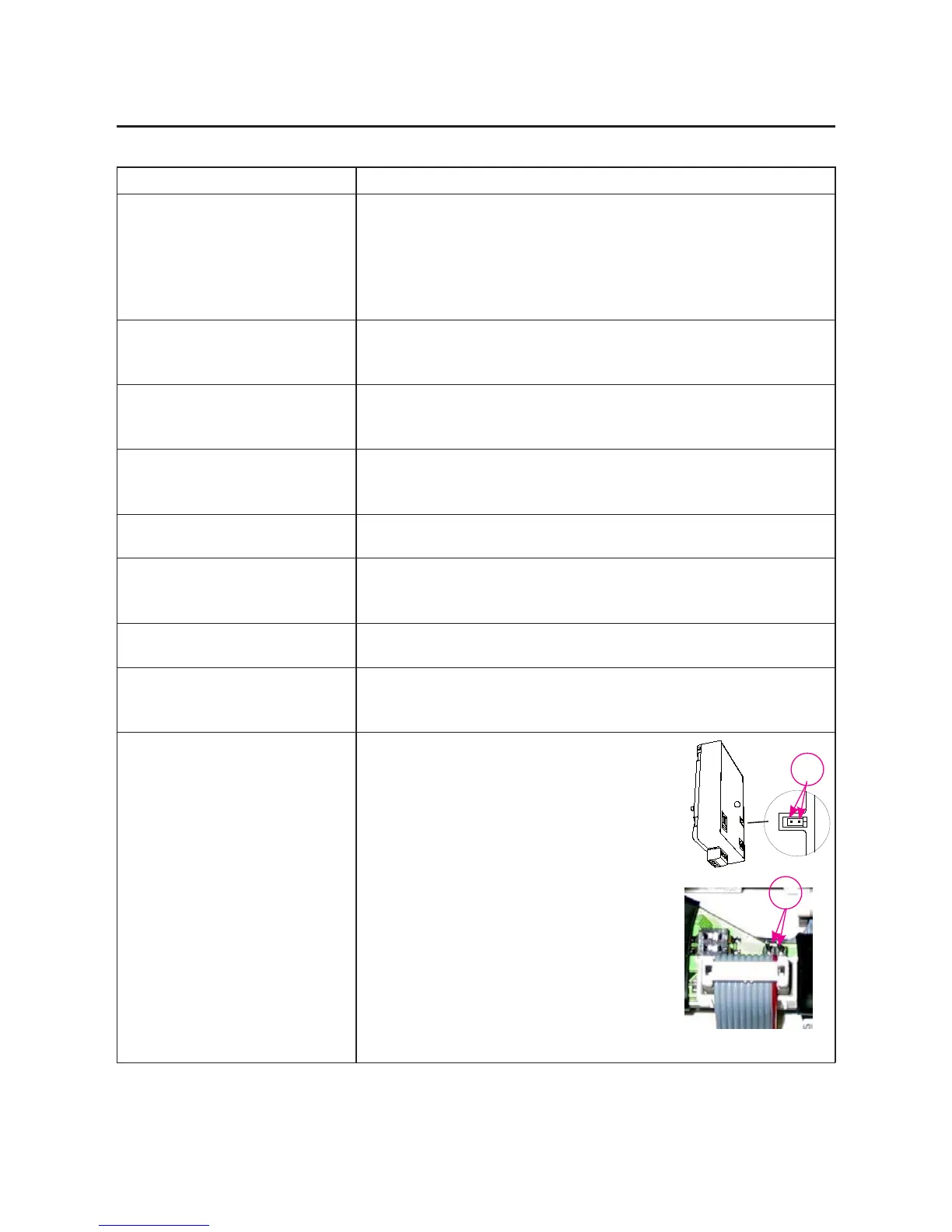
If, for any reason, you have to install the
clock again, shunt the two pins (P) for
more than 4 seconds to initialize
the clock again.
P
P
DHF TBT Movement


 To Previous Page