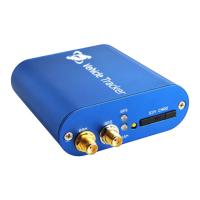
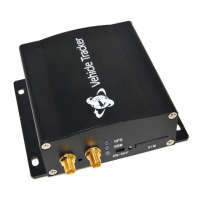
If you want to save credit of SIM card number in PT600X, you can send this command to PT600,
later call PT600X’s SIM card number from your phone to monitor voice
Get Google map link by SMS request
This command is still valid even don’t configure PT600X’s GPRS connecting
<password>PWD<new password>
PWD=Password (must be 6 digits)
Reset password when the previous password is forgotten
Please long press the SOS button when you send this command to PT600X
(new password must be 6 digits)
Set preset phone number for SOS button
<password>SOS,<SOSNumber1>,<SOSNumber2>,<SOSNumber3>
SOS Number: Preset phone number to receive phone call or SMS from PT600X. Max 16
digits. Maximum 3 SOS numbers can be set.
If only set the 1st number, PT600X will send SMS and then call to this first number after
pressing SOS button.
If set the 2nd or 3rd numbers too, PT600X will send SMS to all 3 numbers, only call to the 1
st
number after press SOS button.
Note: <password>SOS, command is for cancel all pre set numbers.
Max Speed (the preset speed value)
=0 to turn off this function
=[0,500](unit: Km/h)
Example: 000000SPD80 it will send alert when it is over 80Km/h
When car speed is higher than the preset value, PT600X will send an alert SMS to the preset SOS
number.
<password>GOF<Type>,<SWLat>,<SWLng>,<NELat>,<NELng>
Type =1, alert when out of range
Type=2, alert when enter this range
SW=South-West
NE=North-East
Example:000000GOF0, to turn off this function
When car leaves out or enters a preset scope, PT600X will send one Geo-fence SMS to the preset
SOS number.
<password>MLA<base mileage>,<increment>
This Mileage Alert can be sent to your mobile by SMS if you set your mobile number as SOS
number into this tracker installed in car and it also can be sent to your email address if you set your
email address in software successfully.
000000MLA100000,50000
This example means, if the tracker records the car driving more than 10000km, tracker will send


 To Next Page