AutoDome Easy Mount Installation | en 3
Bosch Security Systems Instruction Manual F01U064856 | 1.0 | 2007.03
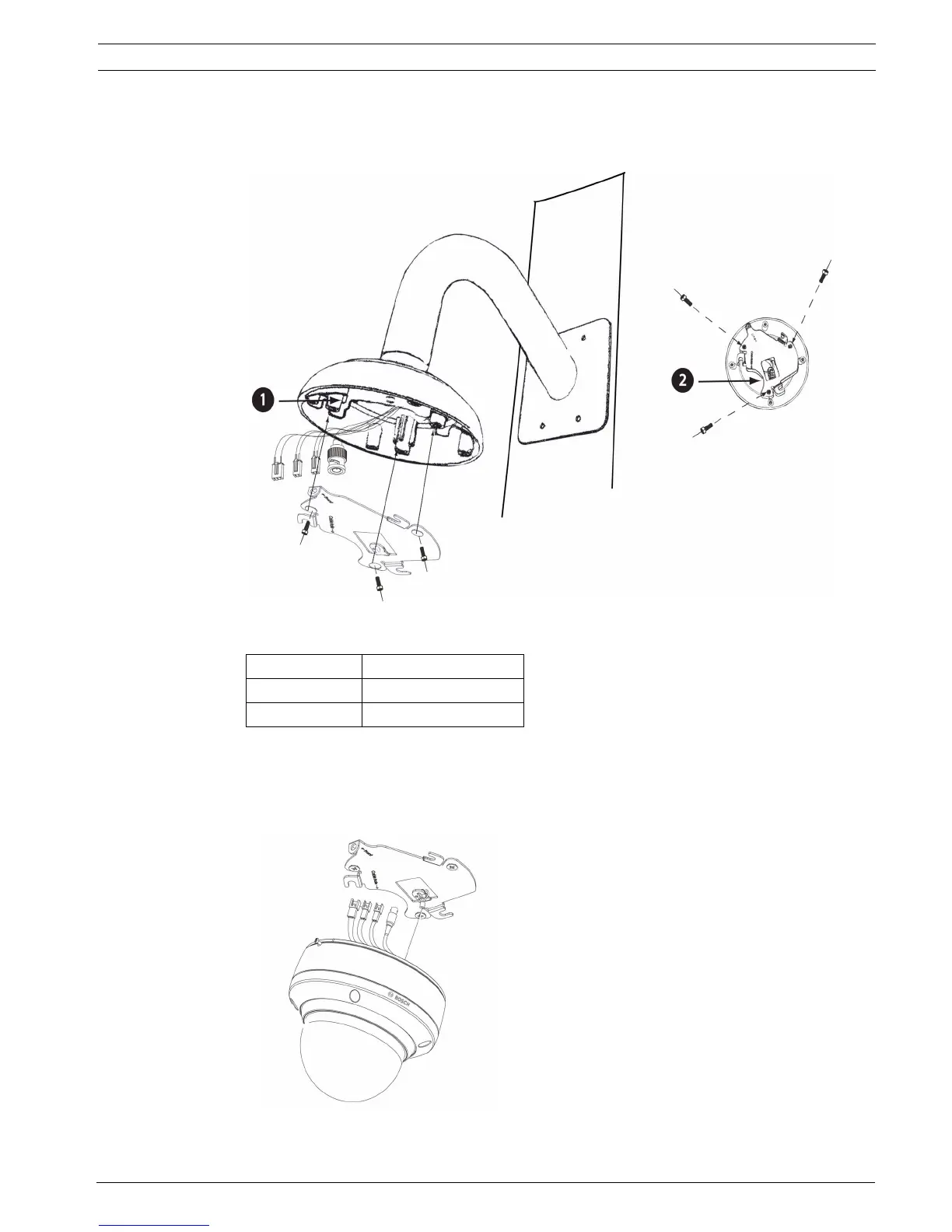
9. Attach the mounting plate (supplied with Dome) to the dome mounting cap with the sup-
plied three (3) screws. Ensure that the mounting plate’s “front” end, as labeled on the
plate, is screwed into the threaded stud furthest away from the wall as seen in Figure 2.2.
Fig. 2.2 Attaching the mounting plate to the dome cap
10. Connect all wires to the camera.
11. Pull excess wire back into the mount tube.
12. Hang the dome camera to the mounting plate using the safety wire.
Fig. 2.3 Hanging the safety wire to the mounting plate
Reference #
Description
1
Align “front” of plate here
2
Feed wires through here







 To Next Page