20 en | Setup Long-range beam smoke detectors
2017.03 | 7.0 | F.01U.068.899 Installation manual Bosch Security Systems, Inc.
6 Setup
Before performing a setup, ensure all connections are made and secure. Then, apply power to
the transmitter and receiver.
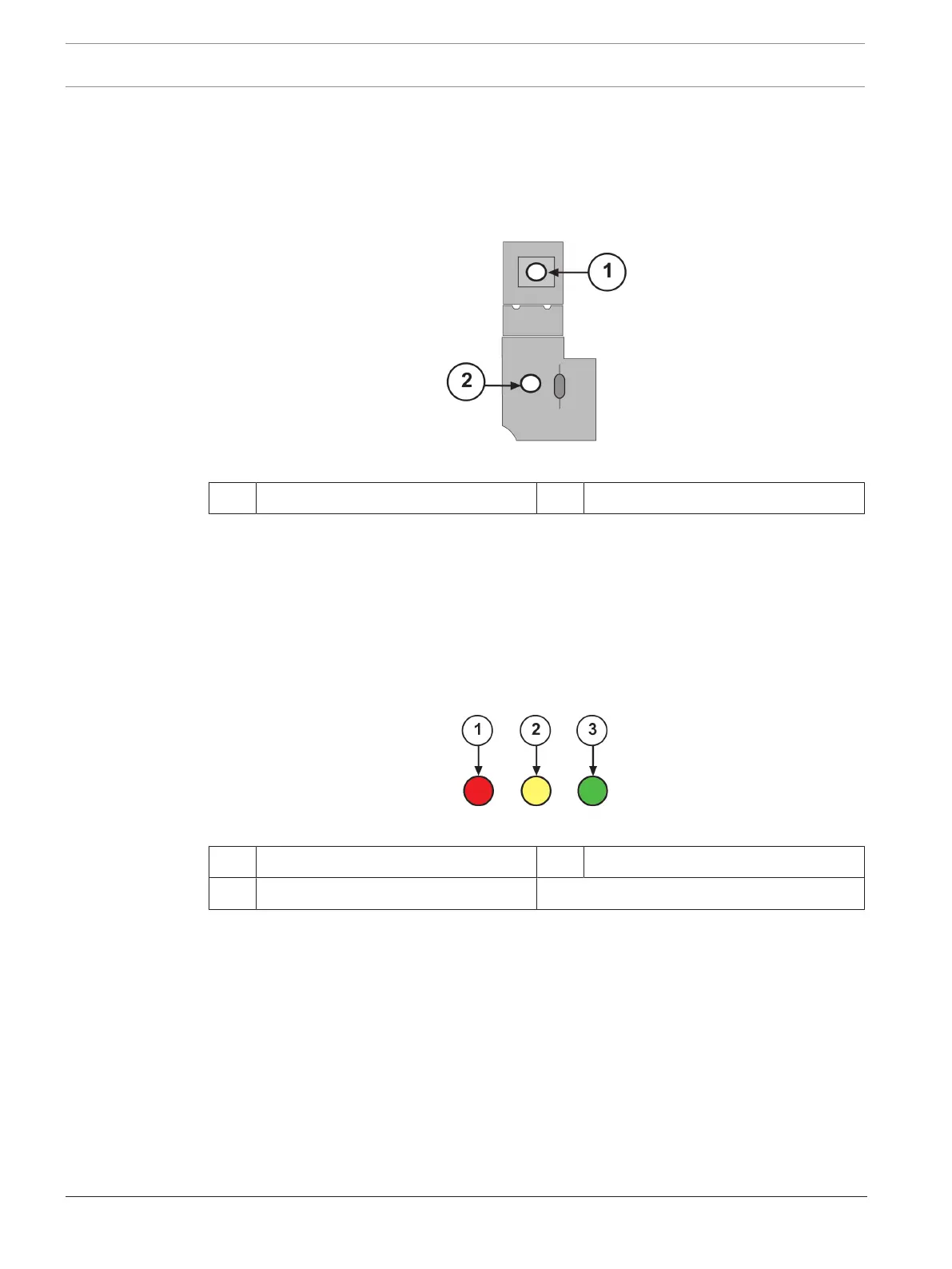
1. To allow transmitter power up while the cover is off, press the transmitter’s Aim Mode
button. This button is located above the green LED as indicated in the following figure.
Figure6.1: Transmitter Circuit Board Showing Aim Mode Button
1 Aim Mode button 2 Green LED
2. Ensure the green LED flashes on and off. If this LED is off, check for power and proper
polarity on Terminals 1 (–) and 2 (+). If the green LED is steadily lit, you have a faulty
transmitter. Begin the process of obtaining a replacement by:
– calling the Bosch National Repair Center at (800) 366-2283 or
– sending an e-mail to repair@us.bosch.com
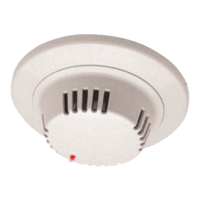
3. Check the three receiver LEDs indicated in the following figure. It is normal for all three
LEDs to be on at this time. The green LED can be either flashing or steadily on. If all LEDs
are off, check for power and proper polarity on Terminals 8 (–) and 9 (+).
Figure6.2: Receiver LEDs
1 Alarm LED (red) 3 Normal LED (green)
2 Trouble LED (yellow)
4. Depending on your application, an aid to alignment might be necessary. If so, mount an
aiming light as close to the receiver as possible, preferably on top of the receiver.
5. Point the aiming light (D309 or equivalent) at the transmitter using it as your aiming
guide.
6.1 Preliminary alignment
Each optical module has two alignment mirrors, one on each side, for preliminary alignment.
See the following figure.


 To Next Page