DCN-D Conference Delegate Units Installation | en 13
Bosch Security Systems B.V. Installation and Operation manual F.01U.265.631 | V1.0 | 2012.03
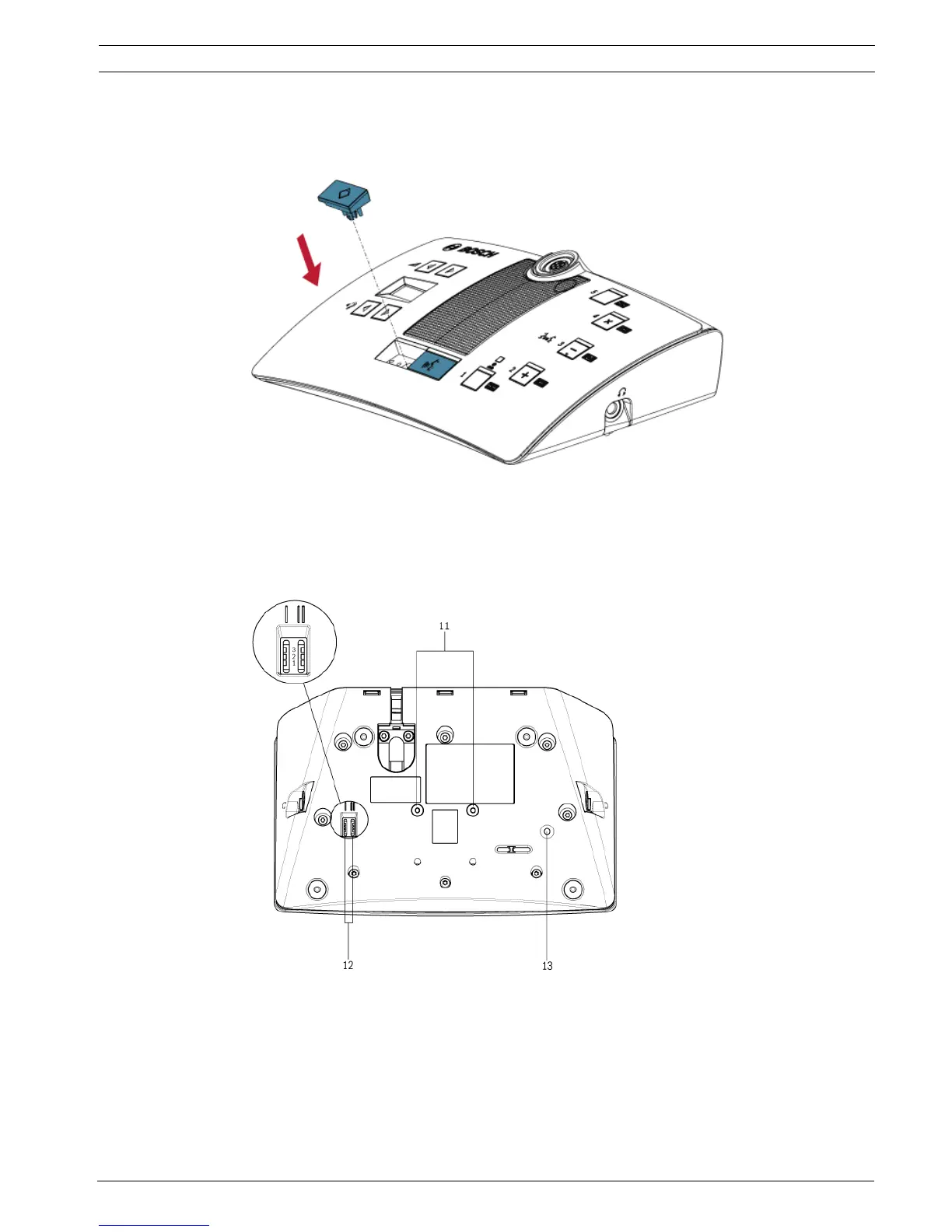
5.1.2 Install the priority and microphone button
1. Push the buttons (2) in the microphone button holes as indicated.
– The DCN-DBCM button set has to be ordered separately.
Figure 5.3 Installation of the delegate microphone buttons
5.2 Installation to a flat surface
When you attach the delegate unit to a flat surface, put screws with a maximum length of 8
mm in the screw holes (11). The distance between the centres of the screw holes is 34 mm.
Figure 5.4 Installation to a flat surface












 To Next Page