14 en | Connection DCN-D Conference Delegate Units
F.01U.265.631 | V1.0 | 2012.03 Installation and Operation manual Bosch Security Systems B.V.
6 Connection
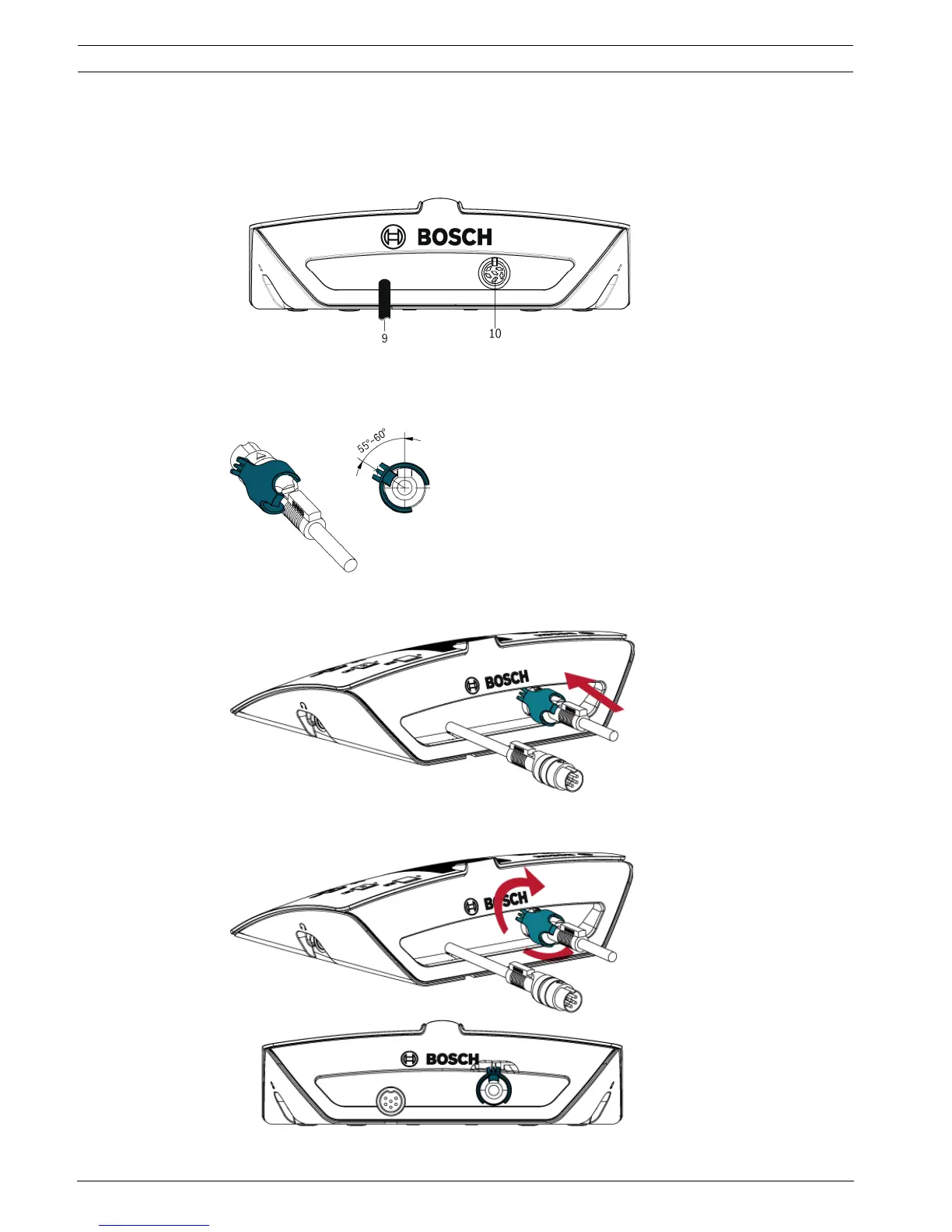
1. Connect the delegate unit to the DCN system with the delegate unit cable (9).
– Use the DCN socket (10) to make a loop-through with the delegate unit.
2. Use the cable-to-unit clamp to lock the DCN cable to the delegate unit:
– Put cable-to-unit clamp on the cable connector (55°~ 60° position).
– DCN-DISCLM cable-to-unit clamp to be ordered separately.
3. Plug cable and clamp into the unit:
4. Clockwise rotate clamp and make clamp snap into the locking hole of the rear panel:












 To Next Page