46 en | Installing the drive trays for the E2700 controller-drive tray configurations DSA E-Series (E2700)
2015.10 | V2 | DOC Installation manual Bosch Sicherheitssysteme GmbH
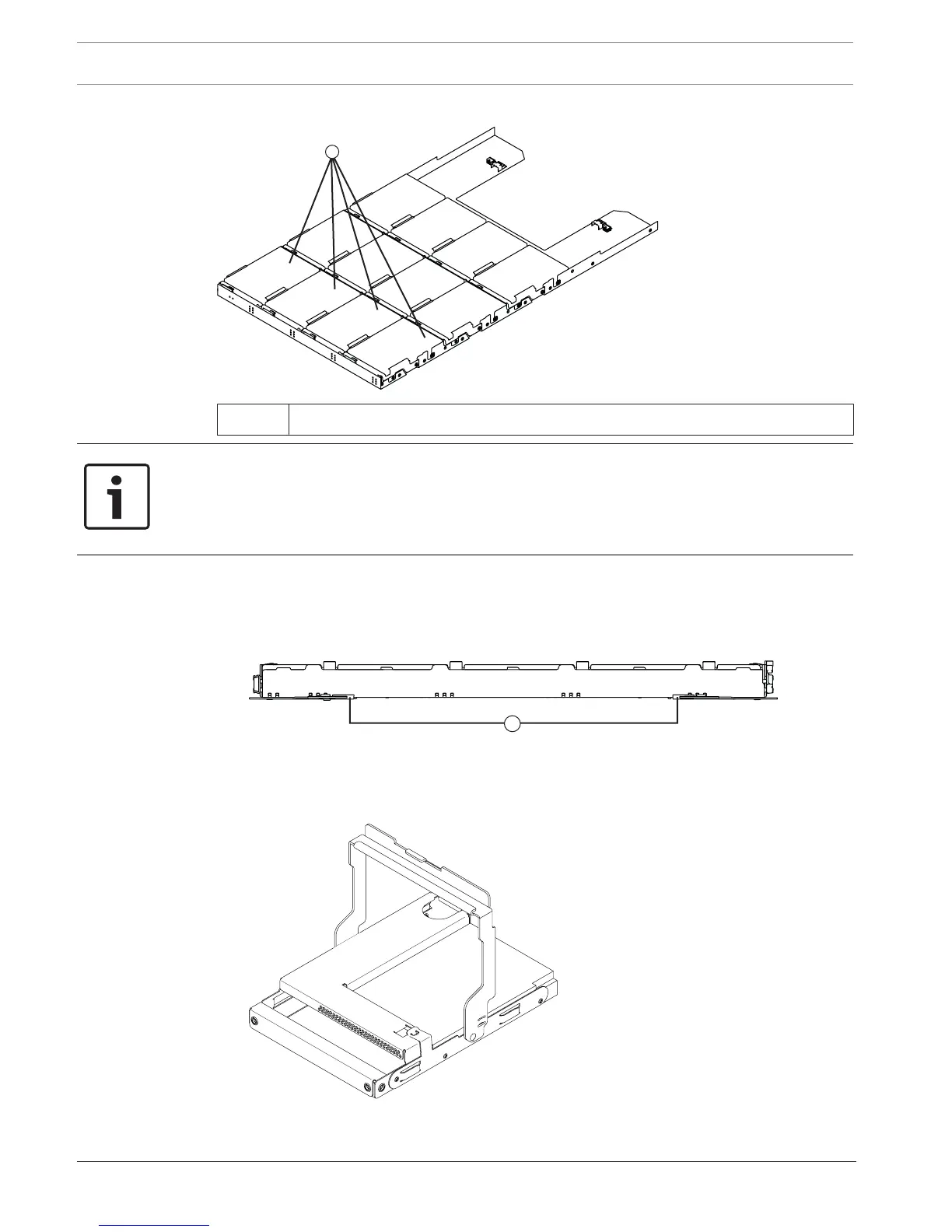
DE6600 drive drawer with required slots filled
1 DE6600 Drive Tray with Slots 1, 4, 7, and 10
Notice!
Risk of equipment malfunctio
For the DE6600 drive tray, you can replace only one canister or drive at a time. Make sure you
have the replacement drive in hand before starting the task. Refer to your storage vendor for
information about obtaining additional SANtricity Storage Manager documentation.
To install the drives in the DE6600 drive tray:
1. Beginning with the top drawer in the drive tray, release the levers on each side of the
drawer by pulling both towards the center.
1 - Levers to release the drive drawer
2. Pull on the extended levers to pull the drive drawer out to its full extension without
removing it from the drive tray.
3. Starting with the first drive, raise the drive handle to the vertical position.


 To Next Page