EasyManua.ls Logo

Bosch NIN-73013 - User Manual

Bosch NIN-73013
40 pages
Print Icon
To Next Page IconTo Next Page
Loading...
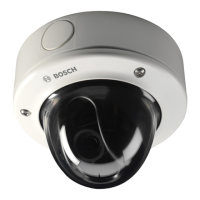
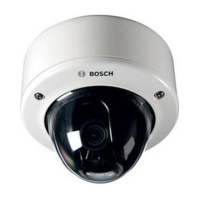
FLEXIDOME IP starlight
7000 VR
NIN-73013 | NIN-73023
en Installation Manual

Questions and Answers

  • D
    Debra SpencerAug 9, 2025
    Why my Bosch NIN-73013 Security Camera has no connection?
    • D
      David MorenoAug 9, 2025
      If your Bosch Security Camera isn't connecting or transmitting images, several factors could be responsible. The unit configuration might be incorrect, so check all configuration parameters, and reset to factory default if necessary. There may be a faulty installation, so check all cables, plugs, contacts, and connections. Also, the IP address could be wrong, so verify the IP addresses. Faulty data transmission within the LAN can be a cause, so check the data transmission with ping. Finally, the maximum number of connections might have been reached, so wait until there is a free connection and call the transmitter again.
  • A
    Ashley HuertaAug 14, 2025
    How to fix Bosch Security Camera that does not operate?
    • C
      Christian LyonsAug 14, 2025
      If your Bosch Security Camera isn't operating, the issue could stem from a power failure. Check the power supply. Alternatively, faulty cable connections could be the culprit, so check all cables, plugs, contacts, and connections.
  • L
    Lauren CarterAug 19, 2025
    What to do if there is no audio transmission to remote station on Bosch NIN-73013 Security Camera?
    • B
      Beth ChavezAug 19, 2025
      If you're experiencing no audio transmission to a remote station with your Bosch Security Camera, several factors could be at play. There might be a hardware fault, so check that all connected audio units are operating correctly. Faulty cable connections could also be the cause, so check all cables, plugs, contacts, and connections. An incorrect configuration might be the issue, so check audio parameters on the Audio configuration and LIVE page functions pages. Finally, the audio voice connection might already be in use by another receiver, so wait until the connection is free and then call the sender again.
  • B
    Bailey BrownAug 25, 2025
    What to do if Bosch NIN-73013 is not operational after firmware upload?
    • J
      Jennifer FloresAug 25, 2025
      If your Bosch Security Camera isn't operational after a firmware upload, it could be due to a power failure during programming by firmware file. Have the unit checked by Customer Service and replace if necessary. Another possibility is an incorrect firmware file. In this case, enter the IP address of the unit followed by /main.htm in your Web browser and repeat the upload.
  • E
    eherringAug 29, 2025
    Why Bosch NIN-73013 Security Camera does not report an alarm?
    • P
      Pamela Mcdonald DDSAug 29, 2025
      If your Bosch Security Camera isn't reporting an alarm, it might be because the alarm source is not selected. Select possible alarm sources on the Alarm sources configuration page. It could also be that no alarm response is specified. Specify the desired alarm response on the Alarm connections configuration page; if necessary change the IP address.
  • B
    blackburnjennySep 3, 2025
    How to fix empty fields in web browser for Bosch Security Camera?
    • M
      melissa07Sep 3, 2025
      If your web browser contains empty fields when accessing your Bosch Security Camera, it may be due to an active proxy server in the network. Create a rule in the local computer's proxy settings to exclude local IP addresses.

Bosch NIN-73013 Specifications

General IconGeneral
ModelNIN-73013
CategorySecurity Camera
LensFixed
Focal Length2.8 mm
Day/NightYes
Night VisionYes
Ingress Protection/Weather ResistanceIP66
TypeDome Camera
IR Range30 meters
Power SupplyPoE (Power over Ethernet)
Operating Temperature-30°C to 50°C

Related product manuals