– To connect a monitor for set-up, use the optional 3 m cable
(NBN-MCSMB-30M) to connect directly to the CVBS
connector of a monitor.
– For a permanent analog output, use the optional 0.3 m
cable (NBN-MCSMB-03M) to connect to a high quality coax
cable.
Mounting the camera module
Mounting flush to ceiling
To mount the camera flush to the ceiling:
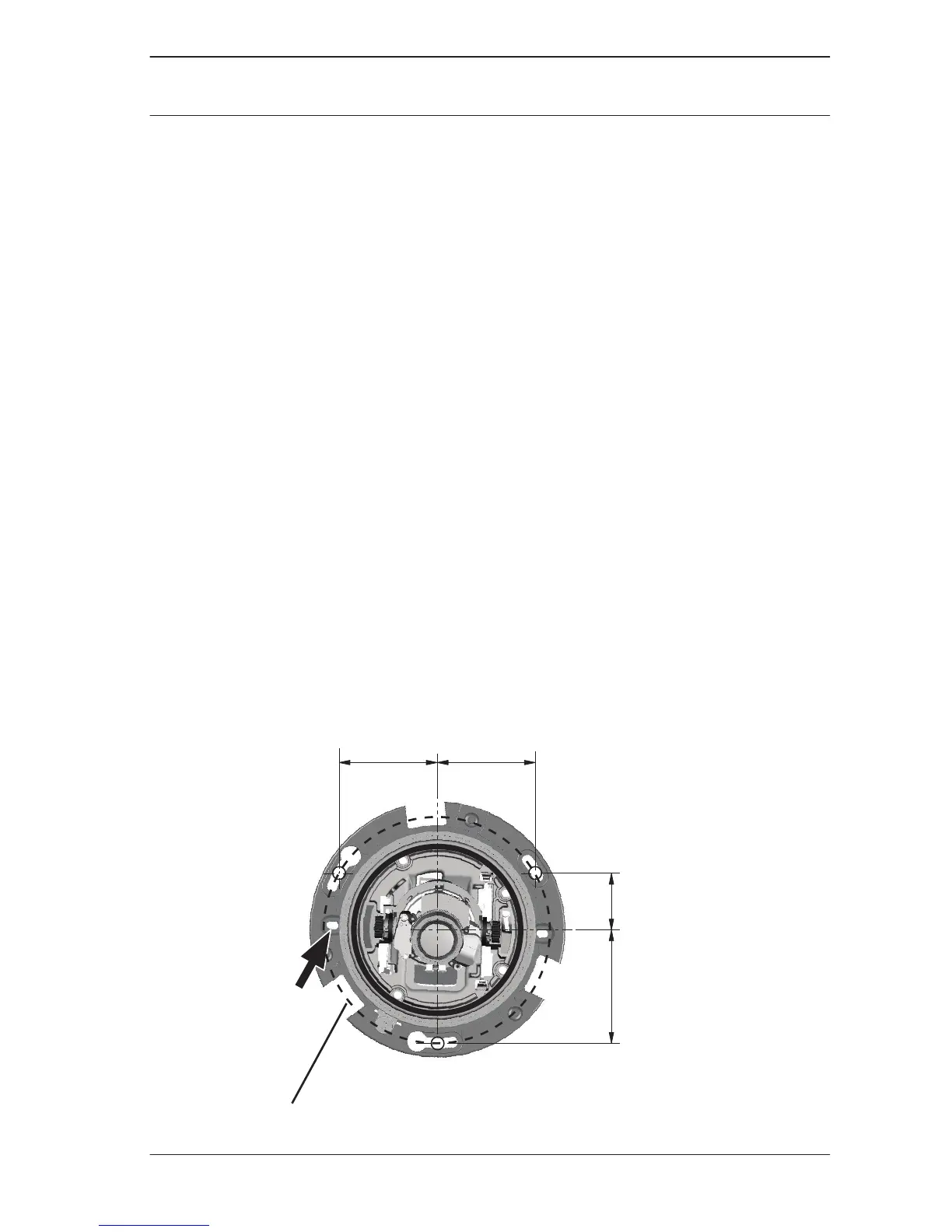
1. Mark out the recess hole and the three mounting holes. The
mounting holes are equally spaced around a diameter of
133 mm (5.25 in).
2. Cut out the inner recess hole: Ø105 mm (4.13 in).
3. Use a 8 mm (0.31 in) bit to drill the three mounting holes
4. Insert the supplied mounting plugs (8 x 40) into the
mounting holes.
5. Use the supplied screws (DIN7505-B 50mm) to securely
mount the camera to the ceiling surface; if the ceiling is too
thin, use appropriate ceiling bolts (not supplied).


 To Next Page