13
Remote control
6 720 606 990
6 Remote control
6.1 Description of the LCD
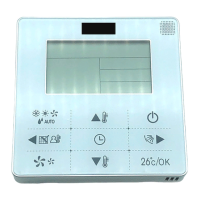
Fig. 10 Multifunctional LCD
1 Displays temperature, error codes and
functions
2 "Remote control in operation"
indication (signal arriving at remote
control)
3 Device in operation (with burner on)
4 Temperature measurement unit
(possible in °C and °F)
5 Remote control battery level indication
(weak signal coming from the remote
control)
6 Priority function (temperature cannot be
modified by other user when water is
running)
7 "Error code" symbol
6.2 Hot water temperature
adjustment by remote
control
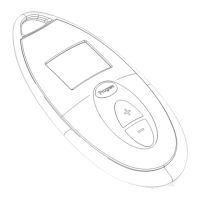
B Press the buttons or on
the remote control (Fig. 11, pos. 2)
until the required temperature
appears on the remote control dis-
play (Fig. 11, pos. 1).
B When the required temperature is
displayed, turn on the hot water tap.
B The required temperature will flash
on the remote control display.
B The flashing will stop when the
required temperature is reached
(tolerance from selected set point +/
-5°F (+/- 2°C).
Fig. 11 Temperature adjustment
6.3 "Program" button on the
remote control
Memorizing the water
temperature with the remote
control "Program" button
B Press the buttons or on
the remote control (Fig. 12, pos. 2),
until the required temperature
appears on the remote control dis-
play (Fig. 12, pos. 1).
B You will now be able to memorize
this temperature by pressing the
"Program" button on the remote
6720606990-1005_(Remote control).fm Page 13 Thursday, July 1, 2010 11:46 AM


 To Next Page