18
Troubleshooting
6 720 606 990
• If an error code is generated immedi-
ately after the installation of the
remote control transceiver PCB,
ensure that the electrical connectors
(Fig. 9) on the main PCB are prop-
erly seated.
• Error code may not be resettable.
Consult water heater's installation
manual or www.boschpro.com for
further troubleshooting on error
codes.
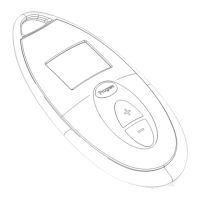
5. Remote will not memorize
desired temperature setting
B Verify that the remote control
"program" button is depressed until
the remote display reads "Pr".
6. Priority " " symbol will not
clear
B Verify no hot water is being used
when trying to clear "priority"
function.
B With no hot water running, press
and hold the “ ” or “ ”
buttons for 5 seconds on the locked
out device (remote or water heater)
until the " " symbol (Fig. 10,
Pos. 6) disappears.
B Do not use any hot water for at least
5 minutes. The priority function
should automatically clear after this
time period.


 To Next Page