en-us Options
16
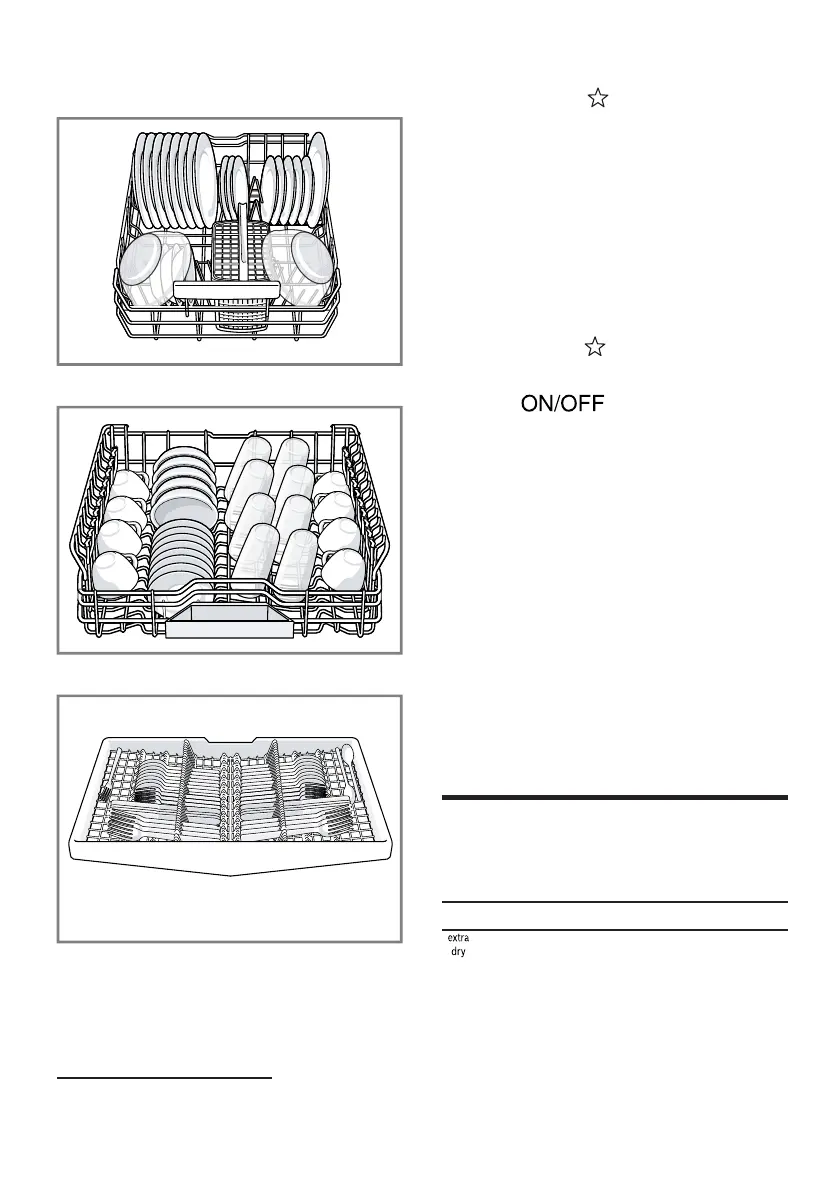
Lower rack
Upper rack
Third rack
5.2 Favorite
With this function, you can save a
combination of a Cycle and an Option.
You can save the selected Cycle and
Option combination via the Home
Connect app.
Tip:You can use the Home Connect
app to access additional Cycles and
Options and save them.
1
Save Favorite on the appliance
1. Open the appliance door.
2. Press .
3. Press the right cycle button.
4. Press the button for the relevant
options.
5. Press Favorite button for 3 seconds.
a The selected cycle and option will
flash.
a The Favorite button flashes.
a The program combination is saved.
Tip:To reset the cycle, either use the
Home Connect app or reset your
appliance back to the factory settings.
→
"Overview of the basic settings",
Page34
Options
6 Options
Options
Here is an overview of the different
options available on your dishwasher.
Option Use
Extra Dry
¡ For a better drying
result, the final rinse
temperature is
increased and the
drying phase
extended.
1
Depending on the appliance specifications



 To Next Page