Rinse aid system en-us
25
Spilled rinse aid can cause
excessive frothing during the wash
cycle.
4. Close the lid of the dispenser for
rinse aid.
a The lid clicks into position.
10.2 Setting the amount of
rinse aid
If there are streaks or water spots on
dishware, change the amount of rinse
aid.
1. Press .
2. To open the appliance settings,
press button for 3 seconds.
a The special salt refill indicator lights
up.
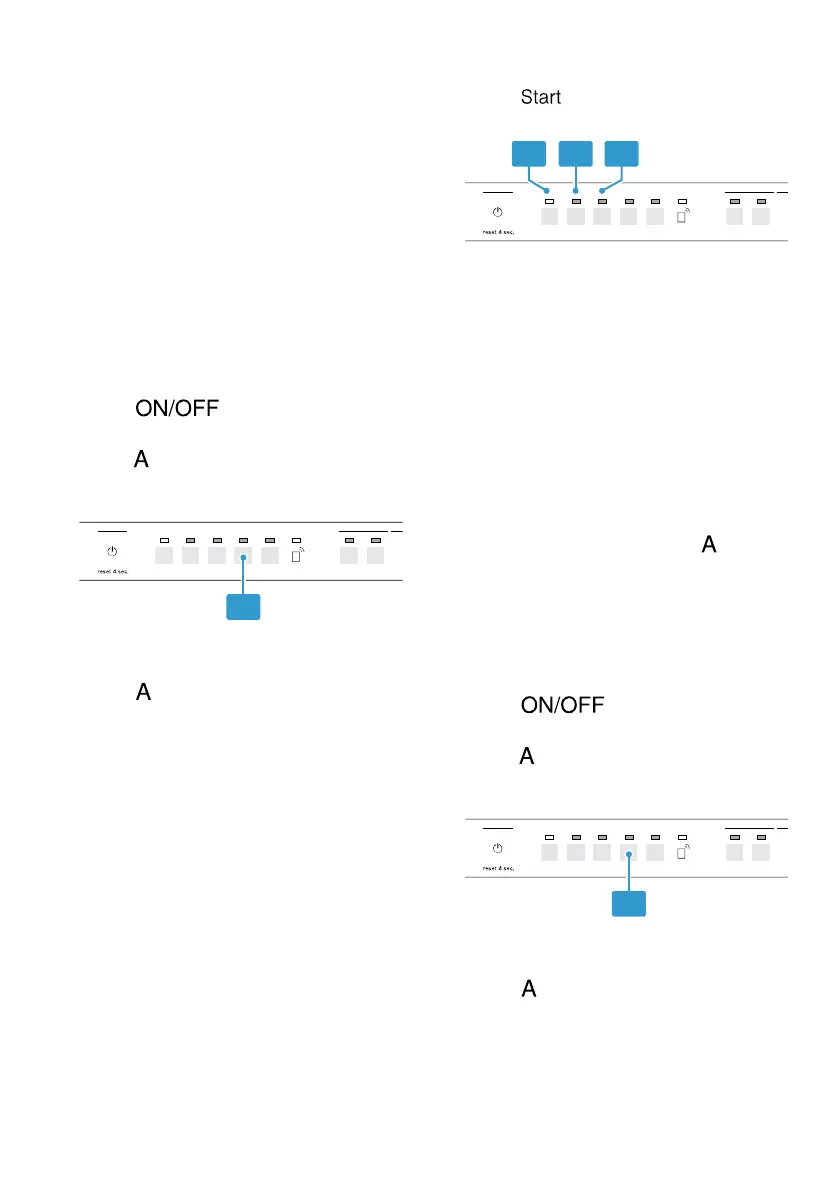
3. Press button repeatedly until the
Rinse Aid LED flashes.
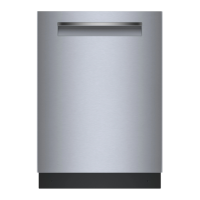
4. Press repeatedly until the right
amount of rinse aid has been set.
0, 1, 2 or 3 LEDs will light up
accordingly.
The factory setting is level 2.
– A low setting adds less rinse aid
during the wash cycle and
reduces streaking on dishware.
– A higher setting adds more rinse
aid during the wash cycle,
reduces water spots and
improves the drying result.
5. To store the setting, press button
for 3 seconds.
10.3 Switching off the amount
of rinse aid to be dis-
pensed
1. Press .
2. To open the appliance settings,
press button for 3 seconds.
a The special salt refill indicator lights
up.
3. Press button repeatedly until the
Rinse Aid LED flashes.



 To Next Page