HomeConnect® en-us
37
4. Press button repeatedly until
the right signal volume has been
set.
0, 1, 2 or 3 LEDs will light up
accordingly. The selected signal
tone will sound.
The factory setting is level 2.
5. To store the setting, press button
for 3 seconds.
Restoring factory settings
1. Press .
2. To open the appliance settings,
press button for 3 seconds.
a The special salt refill indicator lights
up.
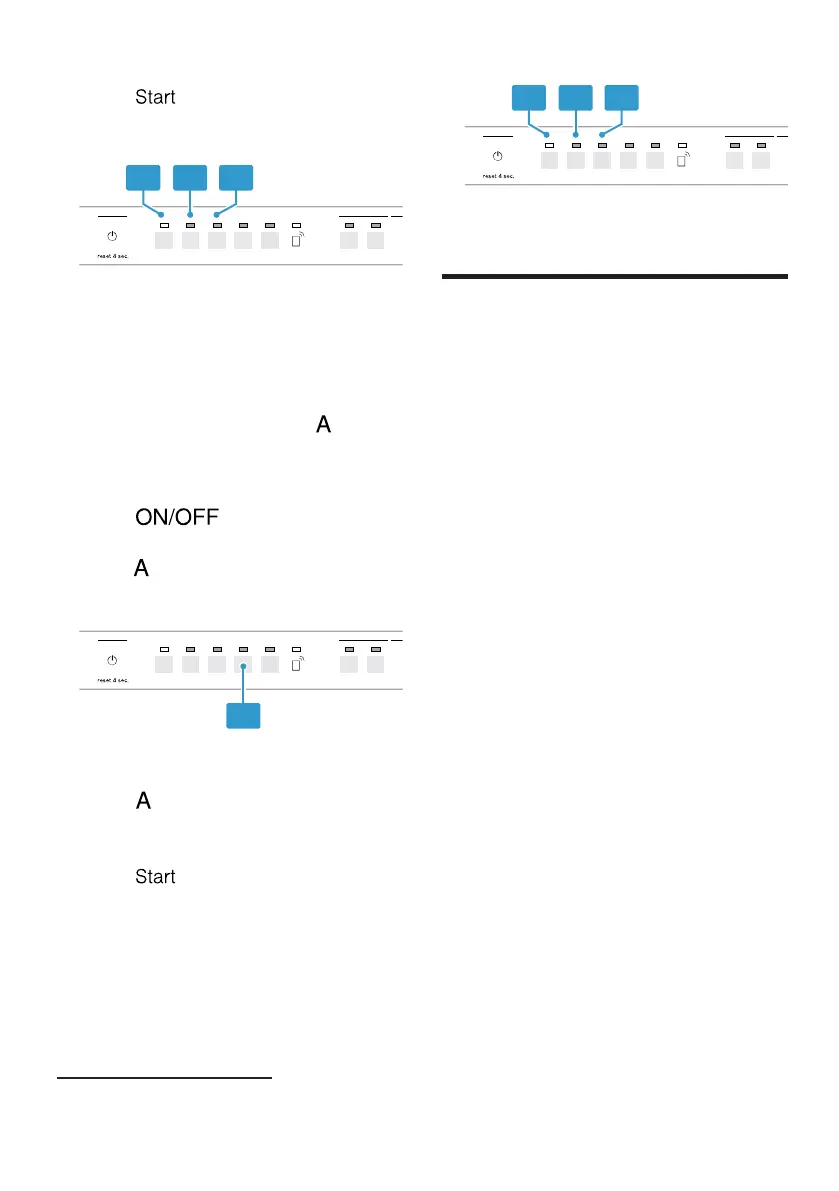
3. Press button repeatedly until the
Clean, Rinse Aid and Sanitize LEDs
flash.
4. Press button.
a These LEDs flash. The appliance is
reset to factory settings.
HomeConnect®
15 HomeConnect®
HomeConnect®
This appliance is network-capable.
Connecting your appliance to a mobile
device lets you control its functions via
the HomeConnect® app.
The HomeConnect® services are not
available in every country. The
availability of the HomeConnect®
function depends on the availability of
HomeConnect® services in your
country. You can find information on
this at: www.home-connect.com.
To be able to use HomeConnect®,
you must first set up the connection to
the WLAN home network (Wi-Fi
1
) and
to the HomeConnect® app.
The HomeConnect® app guides you
through the entire registration process.
Follow the instructions in the
HomeConnect® app to implement the
settings.
Tip:Follow the instructions in the
HomeConnect® app as well.
Note:Also note the safety information
in this instruction manual and ensure
that it is also observed when operating
the appliance using the
HomeConnect® app.
1
Wi-Fi is a registered trade mark of the Wi-Fi Alliance.



 To Next Page