1312
Please note:
The renaming process can take up to 20 seconds per zone name that is changed.
4 Users
Only the Master Code holder can add or change other system user codes, including
the Master Code. Up to 32 user codes / radio user codes can be programmed to oper-
ate the system.
4.1 Adding a User
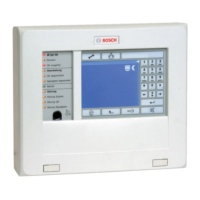
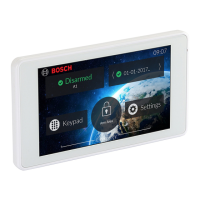
1. From the Home Screen, touch the Settings button.
2. Touch the Users menu item.
3. Enter your Master Code. The keypad will shake if the code is incorrect.
4. Touch the [+] button at the right of the screen title bar.
5. Touch the [Edit] button under the PIN section.
6. Enter the digits required for the new code.
7. Touch the back button in the screen title bar to conrm the Add User action and go
back to the Users Screen.
4.2 Deleting a User
1. From the Home Screen, touch the Settings button.
2. Touch the Users menu item.
3. Enter your Master Code. The keypad will shake if the code is incorrect.
4. Touch the user you want to delete.
5. Touch the [-] button at the right of the screen title bar.
4.3 Renaming a User
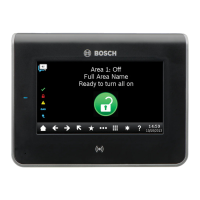
Users can be renamed to provide more meaningful information when being displayed
on the TouchOne, a TEXT LCD Codepad or the RS Control Mobile App. The user
name must be 12 characters or less.
1. From the Home Screen, touch the Settings button.
2. Touch the Users menu item.
3. Enter your Master Code. The keypad will shake if the code is incorrect.
4. Touch the user you want to rename.
5. Touch the Rename button.
6. Using the keyboard, type in the desired user name.
7. Touch the enter button on the keyboard to conrm the name.
8. Touch the back button in the screen title bar to conrm the Rename User action and
go back to the Users Screen.
Please note:
The renaming process can take up to 20 seconds.


 To Next Page