EasyManua.ls Logo

Bosch VIA - Page 49

Bosch VIA
61 pages
Print Icon
To Next Page IconTo Next Page
To Previous Page IconTo Previous Page
Loading...
or
{10|
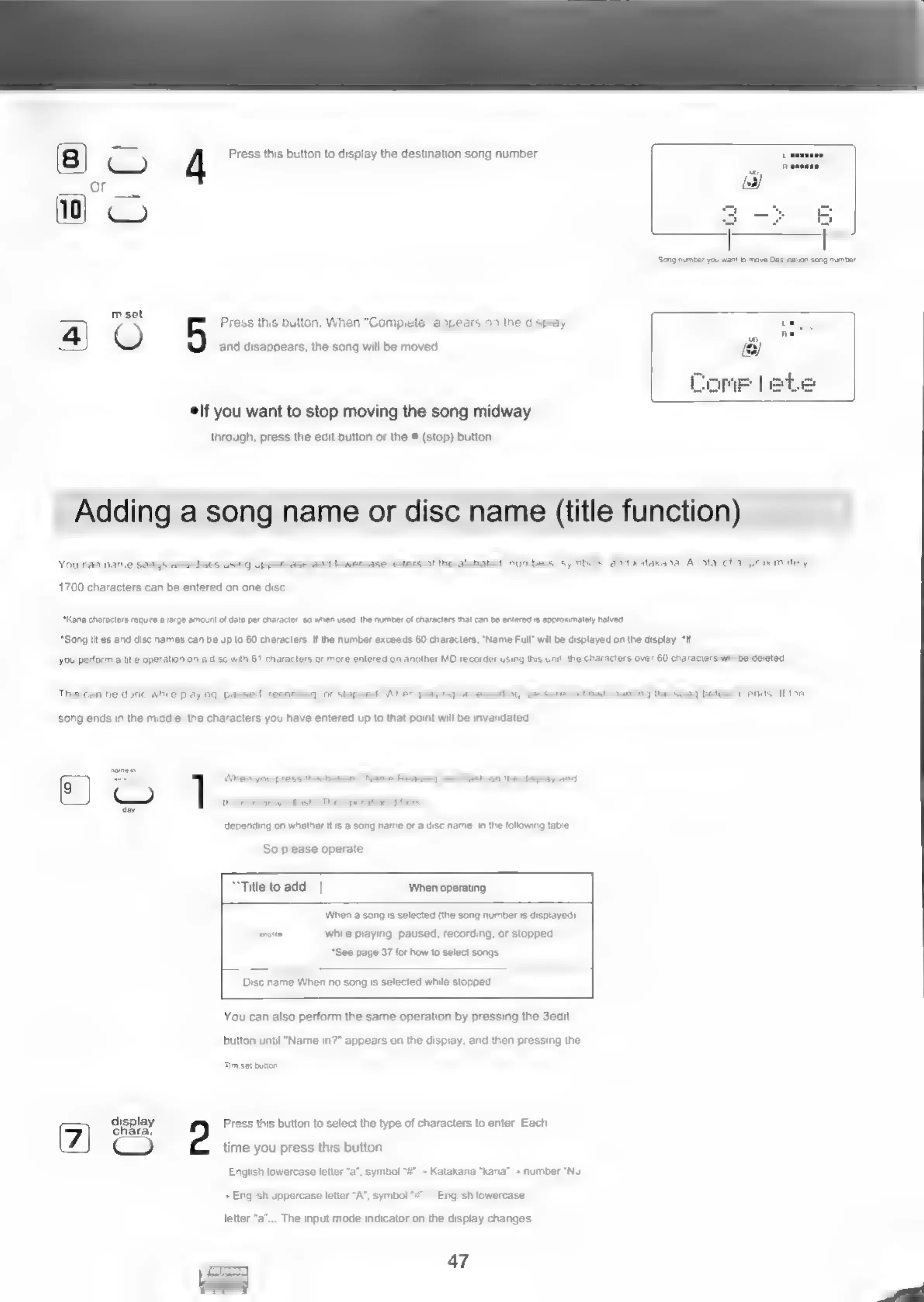
4
Press
this
button
to
display
the
destination
song
number.
mset
4)
Press
this
button.
When
"Complete"
appears
on
the
display
O
and
disappears,
the
song
will
be
moved.
elf
you
want
to
stop
moving
the
song
midway
through,
press
the
edit
button
or
the
#
(stop)
button.
Adding
a
song
name
or
disc
name
(title
function)
You
can
name
songs
and
discs
using
uppercase
and
lowercase
letters
of
the
alphabet,
numbers,
symbols,
and
katakana.
A
total
of
approximately
1700
characters
can
be
entered
on
one
disc
“Kana
characters
require
a
large
amount
of
data
per
character,
so
When
Used,
the
number
of
characters
that
can
be
entered
is
approximately
halved.
*Song
titles
and
disc
names
can
be up
to
60
characters.
If
the
number
exceeds
60
characters,
"Name
Full”
wil
be
displayed
on
the
display.
“if
you
perform
a
title
operation
on
a
disc
with
61
characters
or
more
entered
on
another
MD
recorder
using
this
unit,
the
characters
over
60
characters
will
be
deleted,
This
can
be
done
while
playing,
paused,
recording,
or
stopped.
When
playing
or
recording,
be
sure
to
finish
naming
the
song
before
it
ends.
If
the
song
ends
in
the
middle,
the
characters
you
have
entered
up
to
that
point
will
be
invalidated
@
}
=
When
you
press
this
button,
"Name
Reading"
will
lash
on
the
display
and
depending
on
whether
Its
a
song
name
or
a
disc
name.
in
the
following
table
So
please
operate
“Title
to
add
‘When
operating
When
a
song
is
selected
(the
song
number
is
displayed)
smngtte
while
playing,
paused,
recording,
or
stopped.
“See
page
37
for
how
to
select
songs.
Disc
name
When
no
song
is
selected
while
stopped
You
can
also
perform
the
same
operation
by
pressing
the
3edit
button
until
"Name
in?"
appears
on
the
display,
and
then
pressing
the
@m-set
buton
display
Press
this
button
to
select
the
type
of
characters
to
enter.
Each
CQ
time
you
press
this
button
English
lowercase
letter
“a’,
symbol
“#"
=
Katakana
“kana”
+
number
"Nu’
-
English
uppercase
letter
“A",
symbol
English
lowercase
letter
“a”...
The
input
mode
indicator
on
the
display
changes.
47

Related product manuals