EasyManua.ls Logo

Bosch VIA - Page 57

Bosch VIA
61 pages
Print Icon
To Next Page IconTo Next Page
To Previous Page IconTo Previous Page
Loading...
When
using
an
external
tape
deck
©
Dubbing
external
input
to
an
external
deck
at
the
same
time
|
want
to
record
from
an
external
device,
such
as
a
TV,
to
this unit
and
at
the
same
time
record
from
an
external
deck.
In
other
words,
|
want
to
make
two
tapes
at
the
same
time.
This
machine
can
also
do
these
things.
In
this
case,
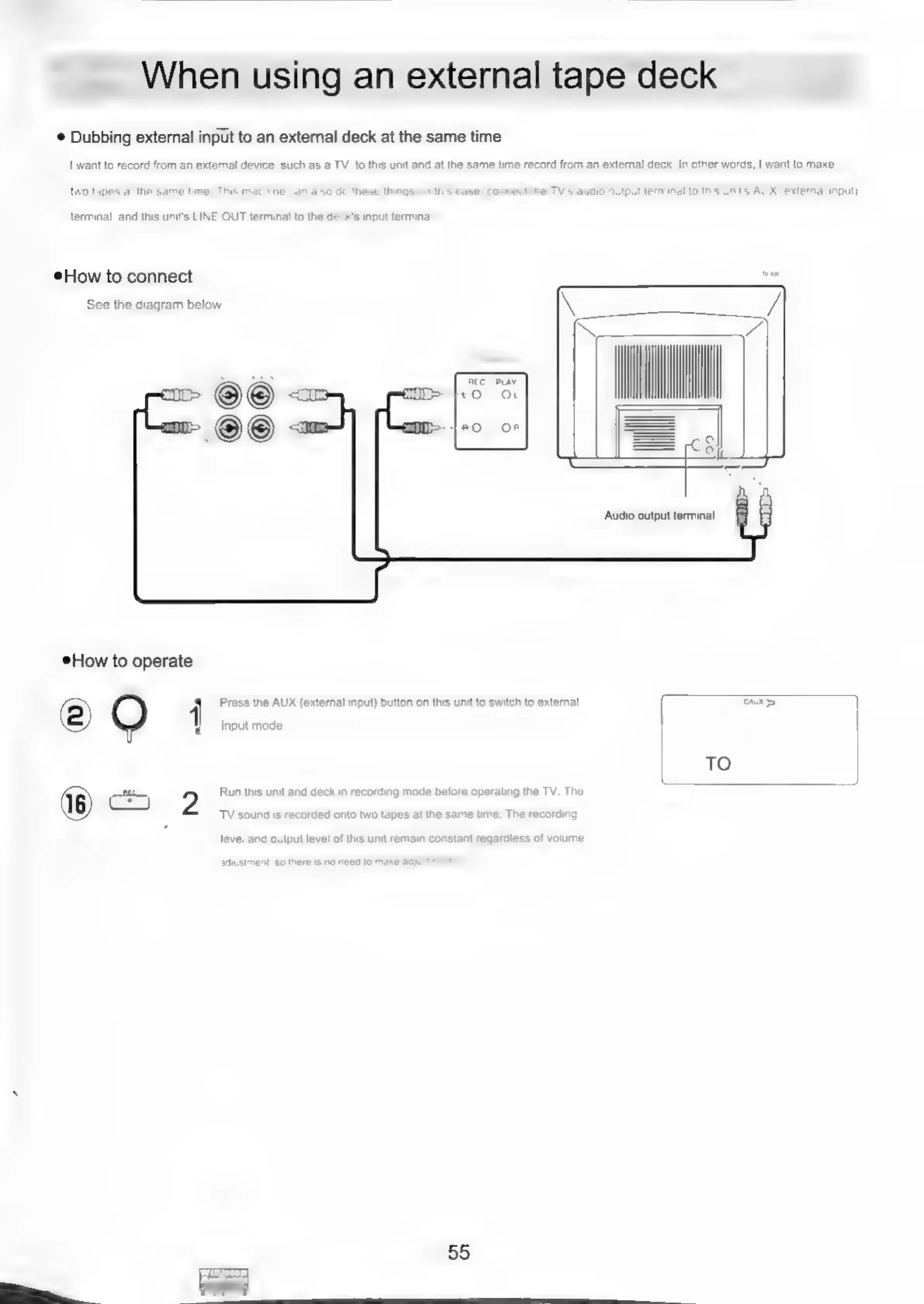
connect
the
TV's
audio
output
terminal
to
this
unit's
AUX
(external
input)
terminal,
and
this
unit's
LINE
OUT
terminal
to
the
d
's
input
terminal
How
to
connect
wee
See
the
diagram
below
REC
PLAY
How
to
operate
1
Press
the
AUX
(external
input)
button
on
this
unit
to
switch
to
external
AS
|
input
mode.
TO
2
Run
this
unit
and
deck
in
recording
mode
before
operating
the
TV.
The
TV
sound
is
recorded
onto
two
tapes
at
the
same
time.
The
recording
level
and
output
level
of
this unit
remain
constant
regardless
of
volume
adjustment,
50
there
is
no
need
to
make
adjus
55

Related product manuals