42 EN
OPERATION
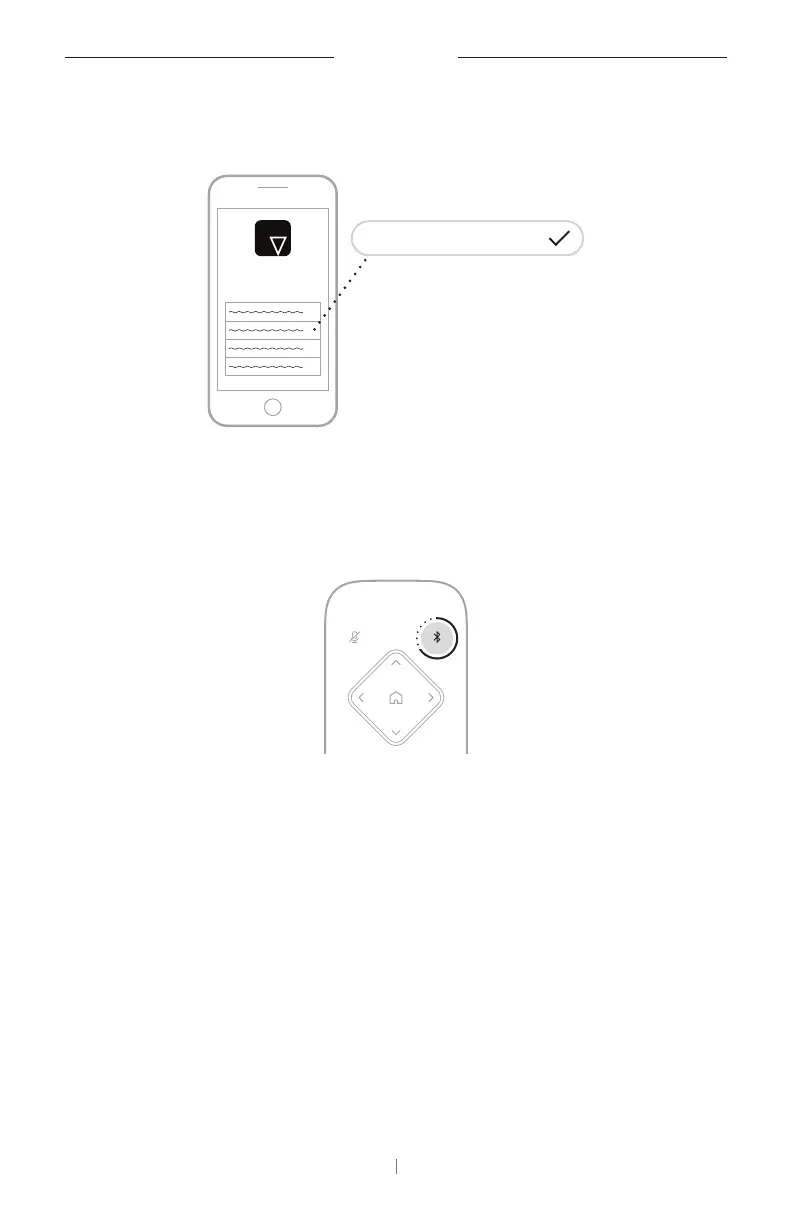
The Videobar Mobile app can pair your
Bluetooth
device with the VB-S
using
Bluetooth
Low Energy (BLE). The app will automatically “discover”
VB-S units nearby.
Videobar VB-S 002
Videobar
Mobile
To pair a
Bluetooth
device with the VB-S using the Videobar Mobile app,
open the app and select the desired VB-S. The
Bluetooth
indicator on
the front panel of the VB-S will light solid white when connected. (See
Videobar Mobile App (Page26) for more information.)
Disconnect a
Bluetooth
Device from the VB‑S
To disconnect a
Bluetooth
device from the VB-S, do one of the following:
Disable the
Bluetooth
connection on your mobile device.
Press and hold the
Bluetooth
button on the remote control for
3seconds.
Move your
Bluetooth
device away from the VB-S until it is out of range
of its
Bluetooth
signal (which can vary based on the transmission
strength of your
Bluetooth
device as well as environmental factors like
physical obstructions or other signal interference).



 To Next Page
 Loading...