43 EN
OPERATION
Low‑Power/Standby Modes
Some countries’ energy regulations require products like the VB-S to
enter a standby mode, a low-power state of operation that saves energy
while the product is inactive. This low-power mode is enabled in the
VB-S by default, but you can disable or reenable it by using the Videobar
Configuration app or WebUI or the Videobar Administration app (see
Software Applications (Page23)).
Note: Disabling the low-power mode will cause the VB-S to
consume more energy while it is inactive.
When the low-power mode is enabled:
If the VB-S is connected to a network, the VB-S will enter a networked
standby mode after 18minutes of inactivity.
If the VB-S is not connected to a network, its standby mode has two
stages. The VB-S will enter an initial low-power state after 18minutes
of inactivity. After two more hours of inactivity, the VB-S will enter
its lowest-power state. In both states, the light bar on the front of the
VB-S will be o. To enter this non-networked standby mode, the VB-S
must be disconnected from any USB device and its
Bluetooth
and
Wi-Fi connectivity must be disabled.
When the low-power mode is disabled, the VB-S will not enter the standby
mode or networked standby mode.
Certain actions or commands can prevent the VB-S from entering its
standby mode or can return the VB-S to its normal operation by “waking” it
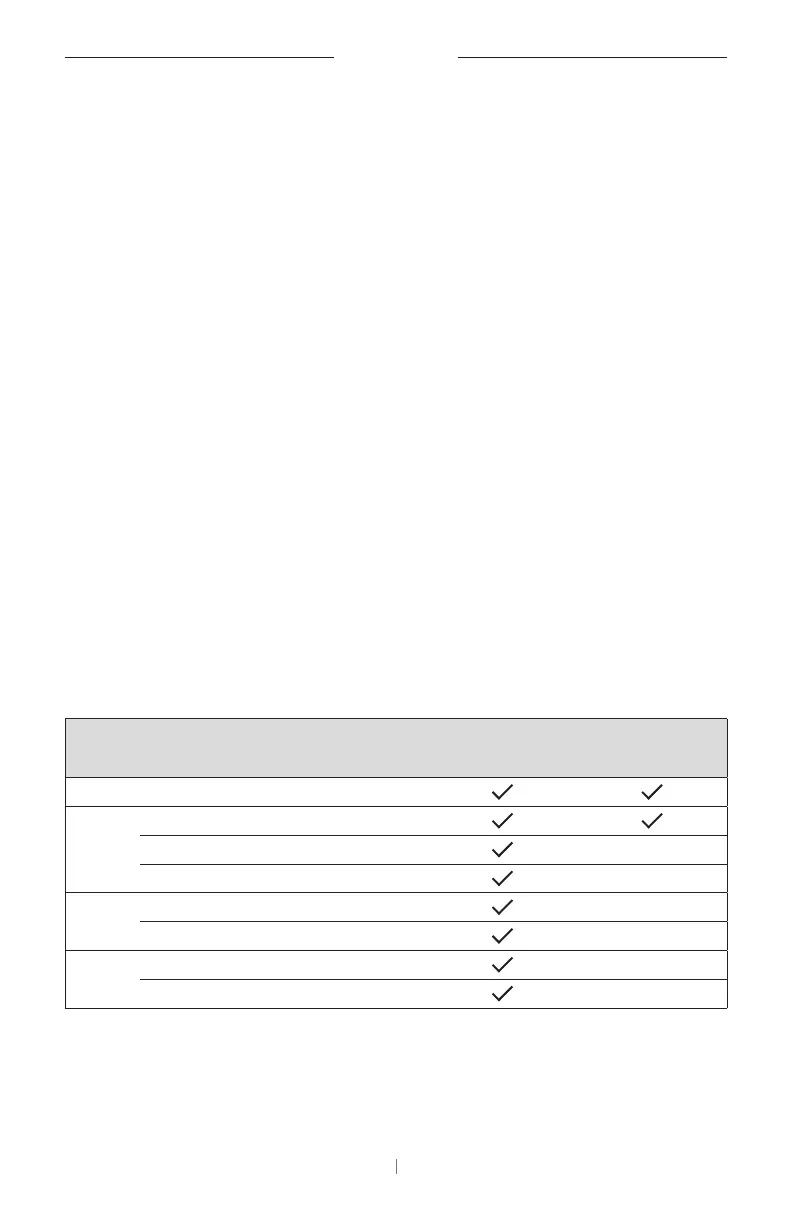
from its standby mode or networked standby mode:
Action or Command Prevents the VB-S from
entering its networked
standby mode.
“Wakes” the VB-S from
its standby mode.
Buttons Button press on the remote control
USB Connecting device to the USB‑C port
Communication from Videobar Configuration
Audio playback
Bluetooth
Active connection
Audio playback
Wi-Fi Communication from Videobar Configuration
Communication from Videobar Administration


 To Next Page
 Loading...