14
Operation
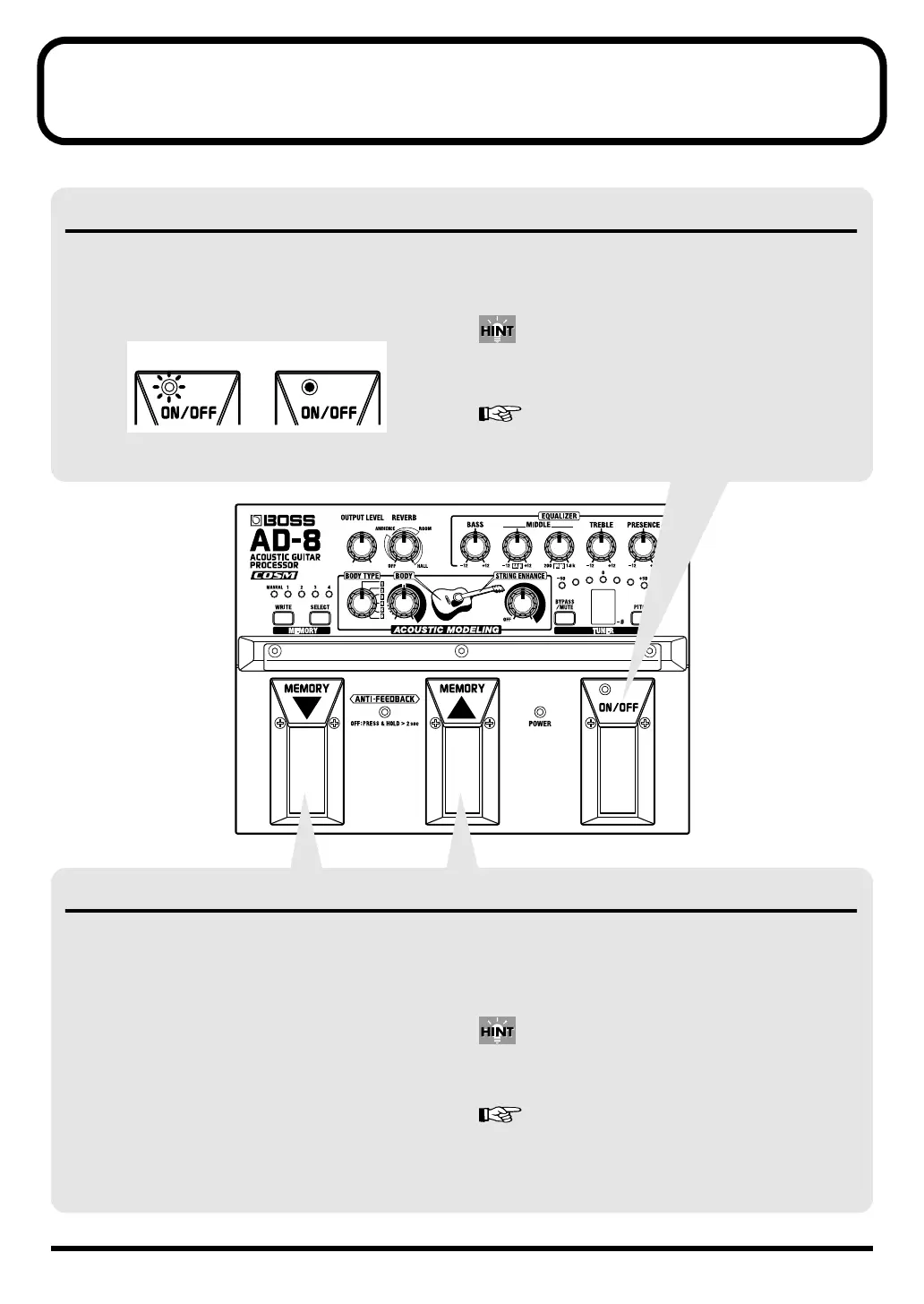
ON/OFF Pedal Operation
MEMORY
▼
/
▲
Pedal Functions
ON/OFF Pedal Operation
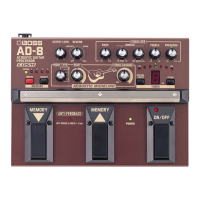
The ON/OFF pedal is set to “ON” when the power is
turned on.
This turns the AD-8’s effects on and off.
The ON/OFF indicator lights up when the effect is on.
When the effects are switched off, the input sounds are
output as is (when set to the factory settings); the tuner is
also operational.
You can also mute the output when the effects are turned
off.
“Setting the Function Used When the Effects Are Off
(Bypass/Mute)” (p. 17)
On: Lit Off: Unlit
MEMORY
▼
/
▲
Pedal Functions
These pedals allow you select among MANUAL mode and
MEMORY 1–4.
MANUAL:
The sound as determined by the settings of the panel's
knobs is output.
MEMORY:
Sounds conforming to pre-programmed settings are output.
Press the MEMORY
▲
pedal to switch through the
memories in the following sequence:
MANUAL
→
MEMORY 1
→
MEMORY 2
→
MEMORY 3
→
MEMORY 4
→
MANUAL.
Press the MEMORY
▼
pedal to switch through the
memories in the following sequence:
MANUAL
→
MEMORY 4
→
MEMORY 3
→
MEMORY 2
→
MEMORY 1
→
MANUAL.
You can also use the MEMORY
▼
/
▲
pedals when using the
anti-feedback function.
“How to Use the ANTI-FEEDBACK” (p. 19)
AD-8_e.book 14 ページ 2007年6月20日 水曜日 午前9時34分


 To Next Page