20
Returning Settings to Their Factory Defaults
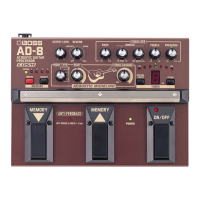
You can restore the following settings to their original factory
values.
Carrying out the following procedure completely clears the
content currently stored in the memories (1–4).
1.
Switch off the power (disconnect the connection
plug from the INPUT jack).
2.
While holding down the WRITE button, switch
on the power (insert the connection plug into the
INPUT jack).
A flashing “
F
” appears in the TUNER display.
3.
Press the WRITE button.
After the TUNER display flashes more rapidly, the
factory settings are restored, and the AD-8 returns to
normal operation.
* To cancel the setting change and the unit returns to its
ordinary state, then before you press the WRITE button,
operate the MEMORY
▼
/
▲
or ON/OFF pedal.
MEMORY 1
Sample Setting 1 (p. 22)
MEMORY 2
Sample Setting 2 ( ” )
MEMORY 3
Sample Setting 3 ( ” )
MEMORY 4
Sample Setting 4 ( ” )
Function when effects are off
(p. 17)
BYPASS
Memory number indication
(p. 17)
Lighting Pattern 1
TUNER reference pitch
(p. 18)
440 Hz
AD-8_e.book 20 ページ 2007年6月20日 水曜日 午前9時34分


 To Next Page