9
Part Names and Functions
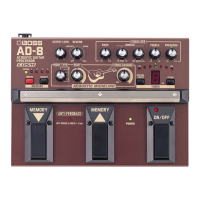
Front Panel
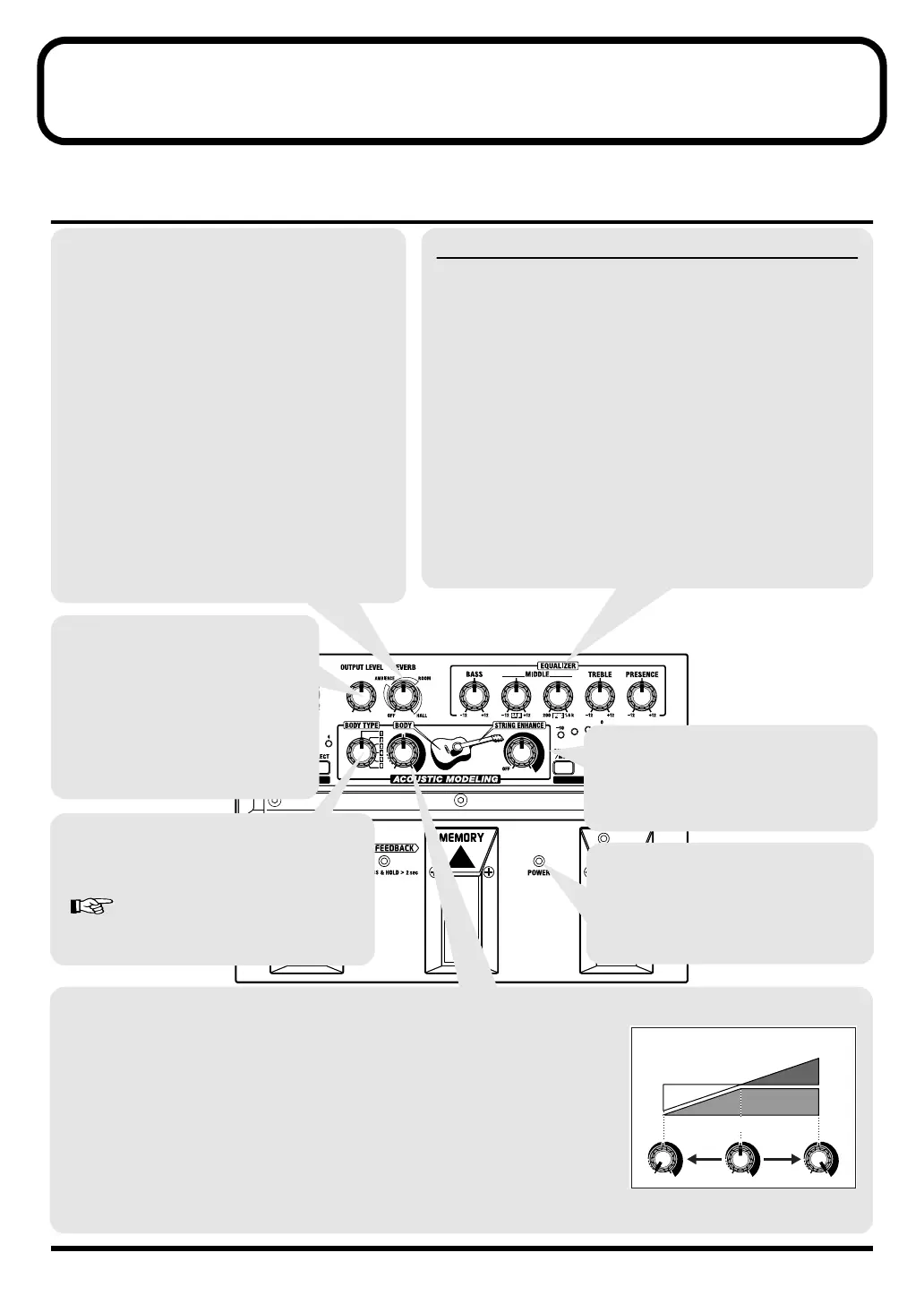
STRING ENHANCE knob
Allows you to bring out more of the
pleasant overtones of the guitar strings.
Especially effective with finger picking.
BODY knob
This adjusts the sound the body puts out.
Turn this knob completely to the left to obtain 100% piezo pickup sound (STRING
ENHANCE, EQUALIZER, and REVERB active). The proportion of piezo pickup
sound relative to modeled sound changes as the knob is turned up towards the
center position. Placing the knob at the center position produces 100% modeled
sound.
Turning the knob even further to the right enhances the body-sound content of the
modeled guitar.
* Increasing the BODY setting also raises the output level. If the sound becomes
distorted, lower the output volume level with the OUTPUT LEVEL knob.
BODY TYPE knob
Select the setting that is closest to the straight,
unaffected sound of the guitar you are using.
“BODY TYPE List” (p. 10)
EQULIZER
BASS knob
This adjusts the balance of the
lower range.
MIDDLE GAIN knob
This adjusts the balance of the
midrange.
MIDDLE FREQ
(frequency) knob
This specifies the frequency
band to be adjusted with the
MIDDLE GAIN knob. The
band can be specified within
the range from 200 Hz to 1.6
kHz.
TREBLE knob
This adjusts the balance of the
upper range.
PRESENCE knob
This adjusts the balance of the
frequencies that are even
higher than those adjusted
with the TREBLE knob.
REVERB knob
You can switch this knob to attain any of three
different reverb effects. The effect deepens as the
knob is turned to the right.
No effects are applied with this is switched to OFF.
AMBIENCE:
This provides a sense of distance in the sound, like
that obtained with off-mic recording.
ROOM:
This provides reverb like that obtained in a
recording studio.
HALL:
This provides reverb like that obtained in a concert
hall.
* Graduations for AMBIENCE, ROOM, and HALL
on a panel are for reference. Be sure to check the
sound as you adjust the effects.
OUTPUT LEVEL knob
This adjusts the output volume level.
* The OUTPUT LEVEL knob only
adjusts the volume pertaining to
times when the effects are on. When
the effects are switched off, the
volume remains at a fixed level
(bypass or mute).
POWER indicator
This is lit while the power is on.
* When the batteries run down, this
indicator gets dim. If this happens,
replace with new batteries.
Piezo Pickup
Sound
Body-Sound
Content
Modeled Sound
AD-8_e.book 9 ページ 2007年6月20日 水曜日 午前9時34分


 To Next Page