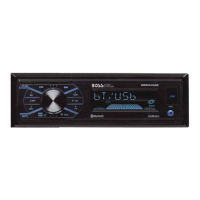
Bluetooth®
Audio Streaming
To
play media through Bluetooth,
the
mobile
device must be Paired and Connected
to
the
BE7ACP-SD.
1. Touch
The music will play automatically.
Track Control
1. Play/Pause
[>
II
2.
Track Fwd /
Rev
I
<J
[>
I
3.
Swipe
to
Fwd/Rev
~
CD
Note
For best performance,
your
mobile device
volume setting should be set
to
maximum.
All volume adjustments
for
the
system should
be controlled
from
the
product.
The
unit
will
recall the last volume setting on
your mobile device every
time
is
connects.
Formats
Playback
is
supported
from
the
mobile device
with
any
format
it
can play.
Audio will only
be
played
by
the
product.
Video cannot be viewed on
the
unit.
22
Switching
Media
Touch.
Available sources will display
(Bluetooth and
USB)
CD
Note
USB
source will only be displayed
if
a
USB
drive
is
inserted and has playable media.
Display
Track info will be displayed when available.
Track, Album and Artist.
Album
art
is
not
supported via Bluetooth
playback.


 To Next Page