Setting
Audio
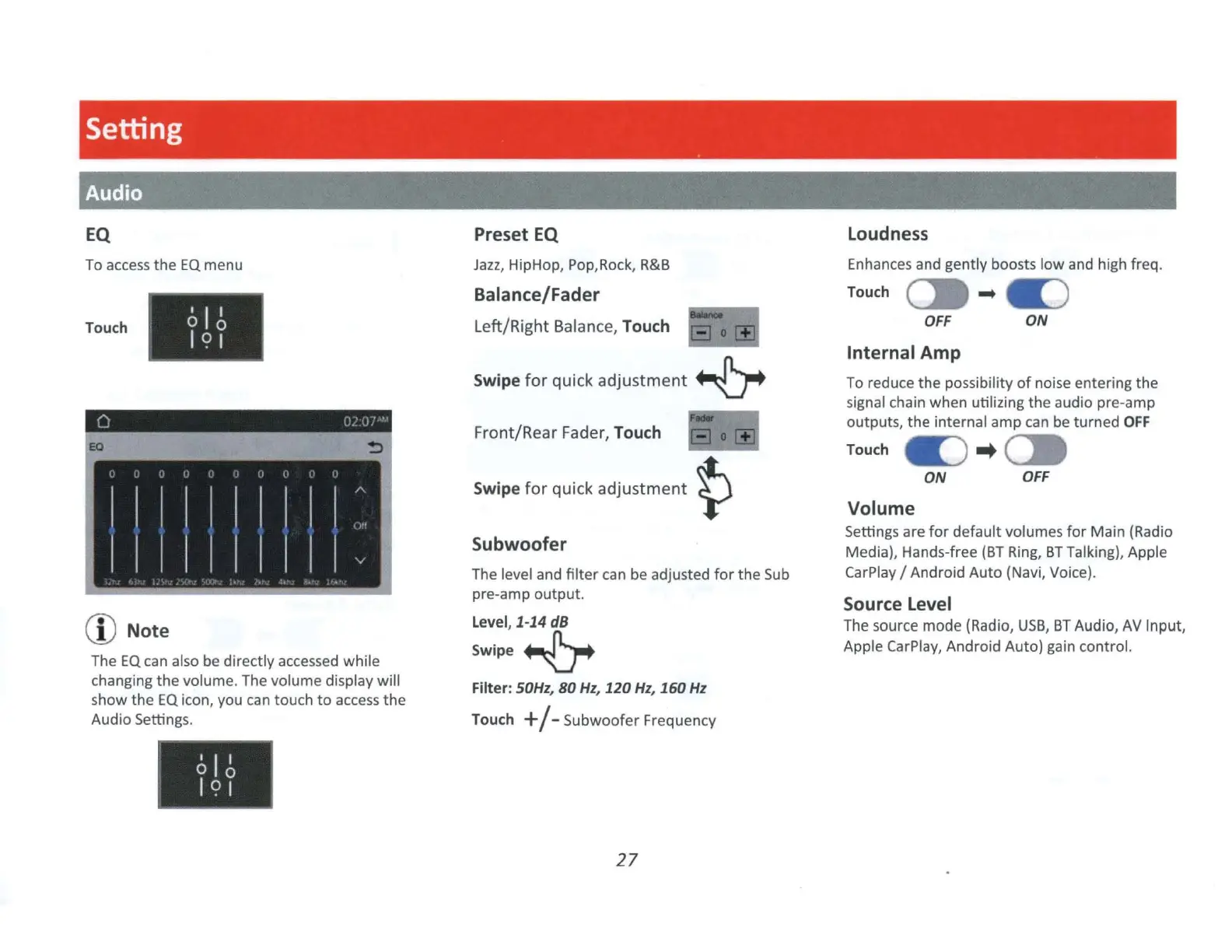
EQ
To
access
the
EQ
menu
Touch
I I I
0 0
I
C?
I
(D
Note
The
EQ
can also be directly accessed while
changing the volume. The volume display will
show
the
EQ
icon, you
can
touch
to
access
the
Audio Setting
s.
I I I
0 0
I
C?
I
Preset EQ
Jazz
, HipHop, Pop,Rock,
R&B
Balance/Fader
Left/Right Balance, Touch
Swipe
for
quick
adjustment
~
Front/Rear Fader, Touch
Swipe
for
quick
adjustment
~
Subwoofer
The level and
filter
can
be
adjusted
for
the
Sub
pre-amp
output.
Level,
1-14
dB
Swipe~
Filter: S0Hz,
80
Hz,
120
Hz,
160
Hz
Touch
+
/-
Subwoofer
Frequency
27
Loudness
Enhances and gently boosts
low
and high freq.
Touch
--..i=,
•
tC)
OFF
Internal
Amp
ON
To reduce
the
possibility
of
noise entering
the
signal chain when utilizing the audio pre-amp
outputs,
the
internal amp can be turned
OFF
Touch
te)
..
C:::.
ON
OFF
Volume
Settings are
for
default
volumes
for
Main (Radio
Media), Hands-free
(BT
Ring,
BT
Talking), Apple
CarPlay / Android
Auto
(Navi, Voice).
Source Level
The source mode (Radio,
USB,
BT
Audio,
AV
Input,
Apple
Ca
rPlay, Android Auto) gain control.


 To Next Page