-6-
EYE PROTECTION which conforms to ANSI specifications and provides protection
against flying particles both from the FRONT and SIDE should ALWAYS be worn
by the operator and others in the work area when loading, operating or servicing
this tool. Eye protection is required to guard against flying fasteners and debris,
which could cause severe eye injury.
The employer and/or user must ensure that proper eye protection is worn. Eye
protection equipment must conform to the requirements of the American National
Standards Institute, ANSI Z87.1-1989 and provide both frontal and side protection.
NOTE: Non-side shielded spectacles and face shields alone do not provide ade-
quate protection.
TO PREVENT ACCIDENTAL INJURIES:
• Never place a hand or any other part of the body in fastener discharge area of tool while
the air supply is connected.
• Never point the tool at anyone else.
• Never engage in horseplay.
• Never pull the trigger unless nose is directed at the work.
• Always handle the tool with care.
• Do not pull the trigger or depress the trip mechanism while loading the tool.
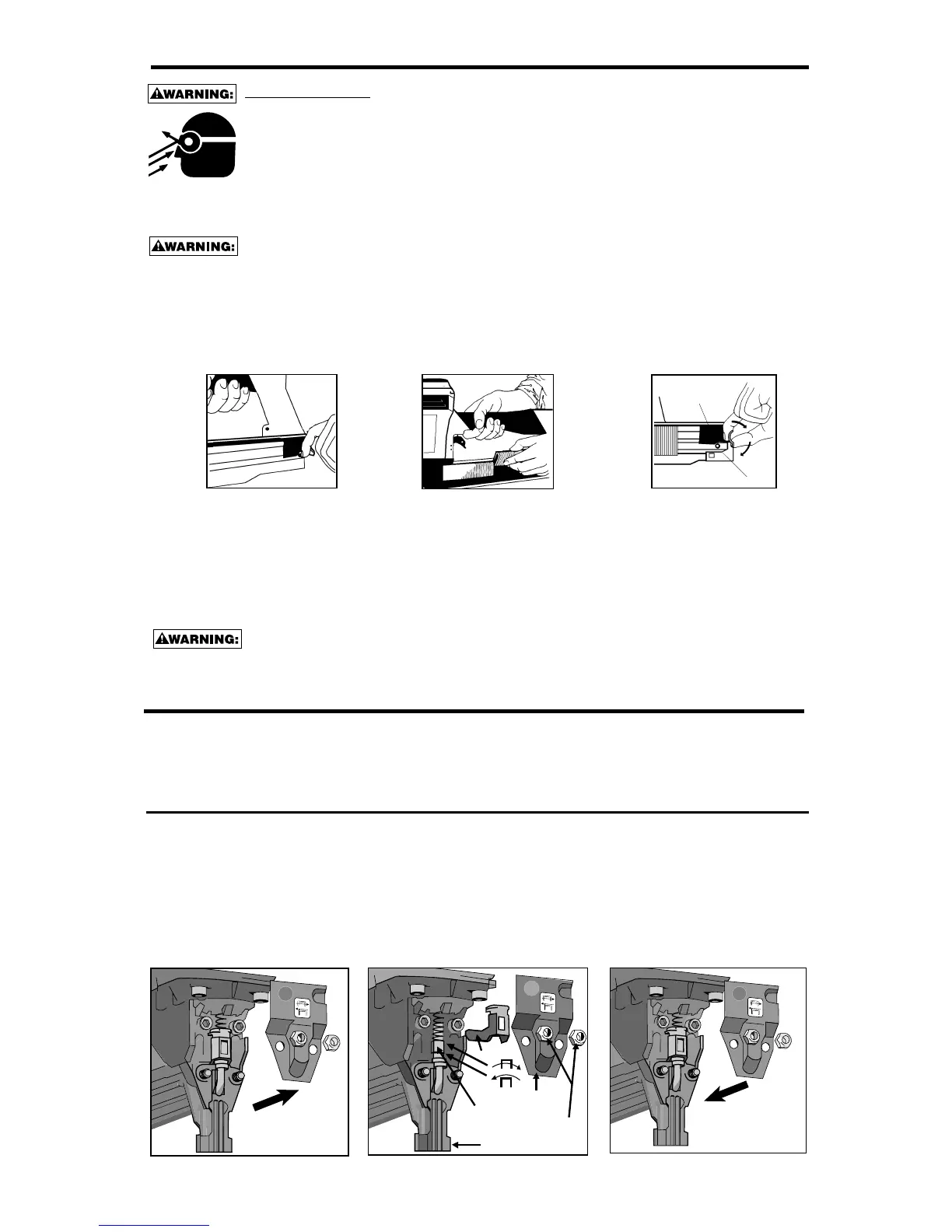
LOADING THE 600,700 & 800
A
B
1. Move pusher to rear until
latched. Cover will open.
Pusher front will drop into
notch on top of magazine
assembly.
2. Drop staple stick over magazine and
slide forward. Repeat until magazine
is loaded, allowing enough space for
pusher to disengage the magazine
and the cover to close.
Approximately 1/2" (13mm)
3. Pull and hold top part of
knob (A) and depress
bottom part of knob (B) in
a clockwise direction to
release pusher.
The DIAL-A-DEPTH™ Fastener Control adjustment feature provides close control of the fastener
drive depth; from flush with the work surface to shallow or deep countersink. First, set the air pres-
sure for consistent drive in the specific work as described on page 5, then use the DIAL-A-DEPTH™
Fastener Control adjustment to give the desired depth of drive.
TO ADJUST DIAL-A DEPTH™ FASTENER CONTROL ADJUSTMENT:
“DIAL-A-DEPTH
™
” FASTENER CONTROL ADJUSTMENT
Always disconnect air supply: 1. Before making adjustments; 2. When servicing the tool; 3. When
clearing a jam; 4. When tool is not in use; 5. When moving to a different work area, as accidental
actuation may occur, possibly causing injury.
1. With air pressure set (refer to Setting the Correct Pressure on (Page 5), drive a few fasteners into a representative
material sample to determine if adjustment is necessary.
2. If adjustment is required, disconnect air supply.
3. Refer to label on outside of door for direction to turn adjusting nut. (See illustration)
4. Remove cover mounting nuts, cover and adapter. Observe the orientation of the flats on the adjusting nut. Rotate
the adjusting nut to the left to increase fastener drive depth, or to the right to decrease it. Reorientate the flats to
be same as before. Reinstall adapter, cover and mounting nuts.
5. Before reconnecting air supply, check that trip mechanism parts operate freely with no binding or sticking.
6. Reconnect air supply.
COVER
CONTACT
ARM
ADJUSTING
NUT
ADAPTER
COVER
MOUNTING
NUTS
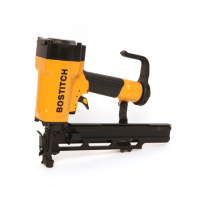
NOTE: Use only staples recommended by Stanley-Bostitch for the 600,700 & 800 Series staplers or staples which meet
Stanley-Bostitch specifications.


 To Next Page