MRI Scan Procedure Protocol
1. Programming the Pulse Generator for a Scan
2-5
2. Confirm the MRI scanner settings and configurations ("2. Confirming MRI Scanner Settings
and Configuration" on page 2-13)
3. Prepare the patient for the scan ("3. Preparing the Patient for the Scan" on page 2-13)
1. Programming the Pulse Generator for a Scan
Use the PRM to program pulse generator entry into MRI Protection Mode.
NOTE: Maintain access to the programmer wand, as RF telemetry becomes unavailable
during the process of entering MRI Protection Mode.
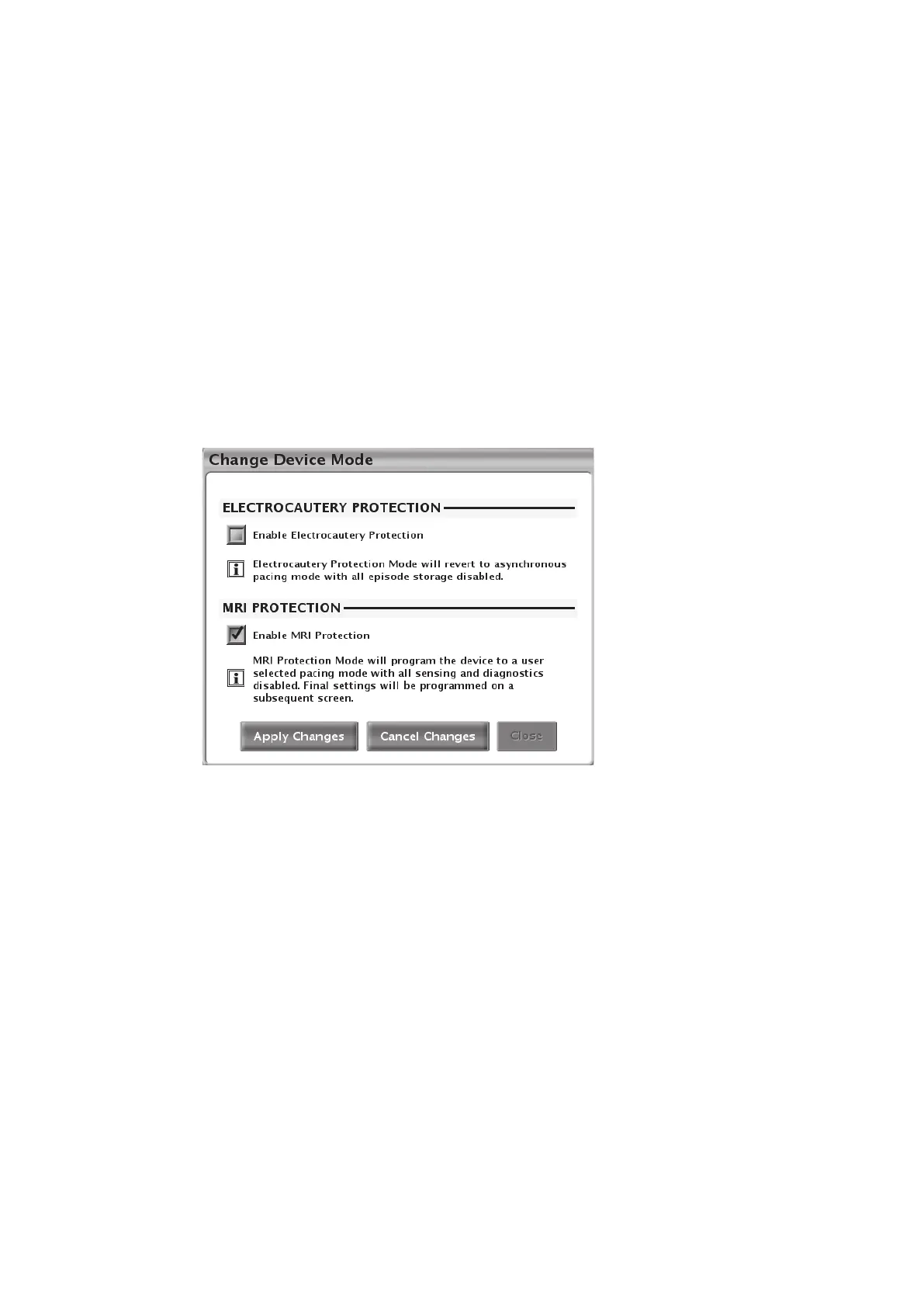
From the Main screen, use the Device Mode button to enable MRI Protection Mode.
The user chooses whether to Cancel Changes or Apply Changes to proceed with entry into MRI
Protection Mode (Figure 2–1 Change Device Mode dialog on page 2-5).
Figure 2–1. Change Device Mode dialog
Certain conditions in the pulse generator and/or system will cause a user request to enter MRI
Protection Mode to be rejected. These include:
• A ventricular episode as detected and recognized by the pulse generator is in progress
• Magnet presence is detected by magnet sensor
• Pulse generator is in STAT PACE mode
• Unipolar pacing configuration in chamber(s) where pacing will occur in MRI Protection Mode
If one or more of these conditions are present, a dialog box will appear describing the condition,
and MRI Protection Mode cannot be entered. For example, see Figure 2–2 Episode in progress
attention message on page 2-6.



 To Next Page