118
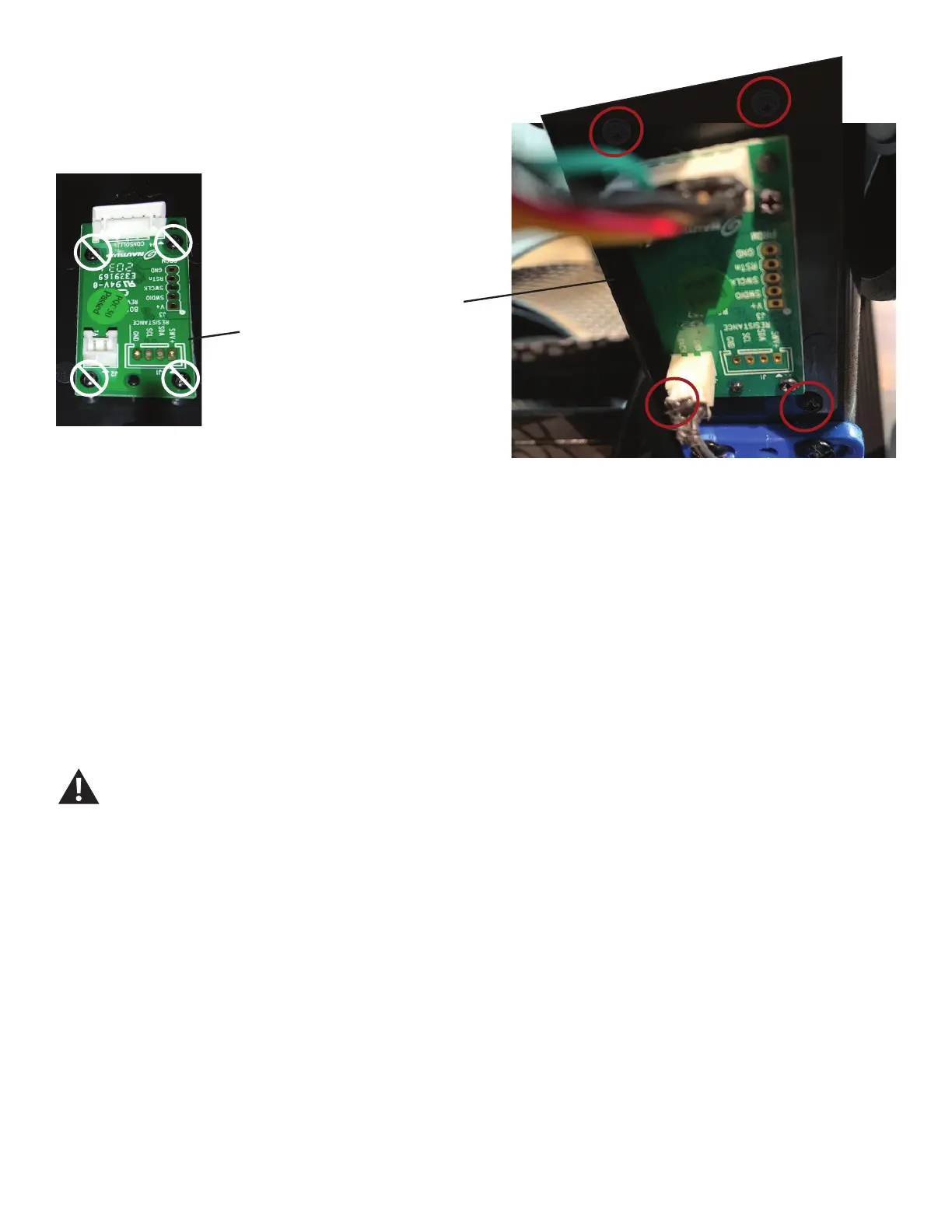
20.Usingashort#2Phillipsscrewdriver,removethe4screws
(indicated with red ovals) that secure the PCBA Board Assembly
to the Frame and remove it.
Note: Be sure to remove the screws from the PCBA Board As-
sembly and not the PCBA Board.
21.Usingashort#2Phillipsscrewdriver,attachthenewPCBA
Board Assembly to the Frame and connect the cables.
22. Re-install all remaining parts that were removed in reverse
order.
23. Final Inspection
Inspect your machine to ensure that all hardware is tight and
components are properly assembled.
Do not use until the machine has been fully assem-
bled and inspected for correct performance in
accordance with the Owner’s Manual.
PCBA Board
PCBA Board
Assembly














 To Next Page