150
Note: Shrouds are removed for clarity.
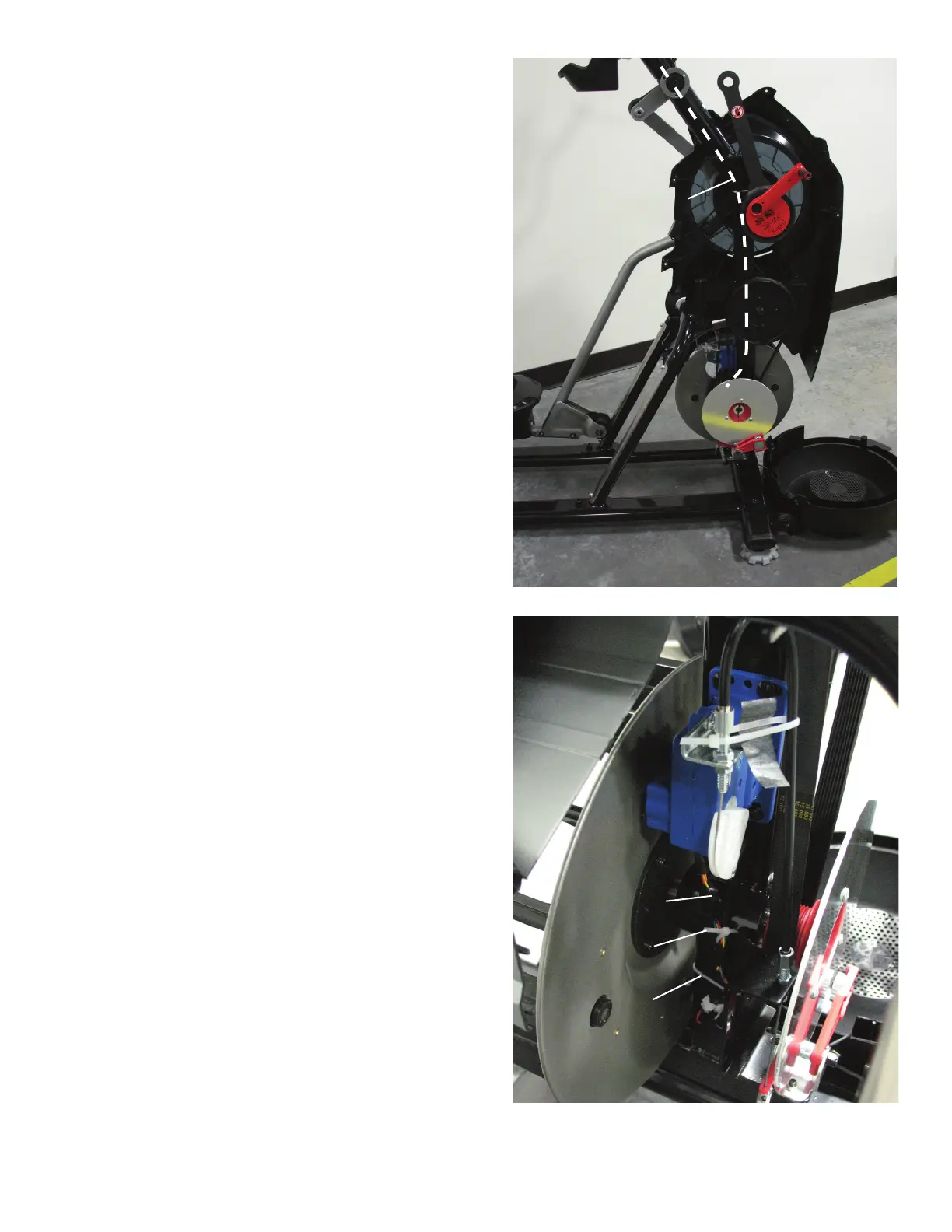
5. Note how the I/O Cable routes through the machine.
6. Cut the two lower Zip-Ties without damaging the Cables.
7. Disconnect all the Cables that connect to the lower part of
the old I/O Cable.
8. Connect all the Cables to the new I/O Cable.
9. Attach the unattached end of the new I/O Cable to the old I/O
Cable using a piece of wire or string.
I/O Cable Route
Zip-Tie
Zip-Tie
I/O Cable















 To Next Page