Assembly / Owner’s Manual
33
Manual ( Quick Start ) Program
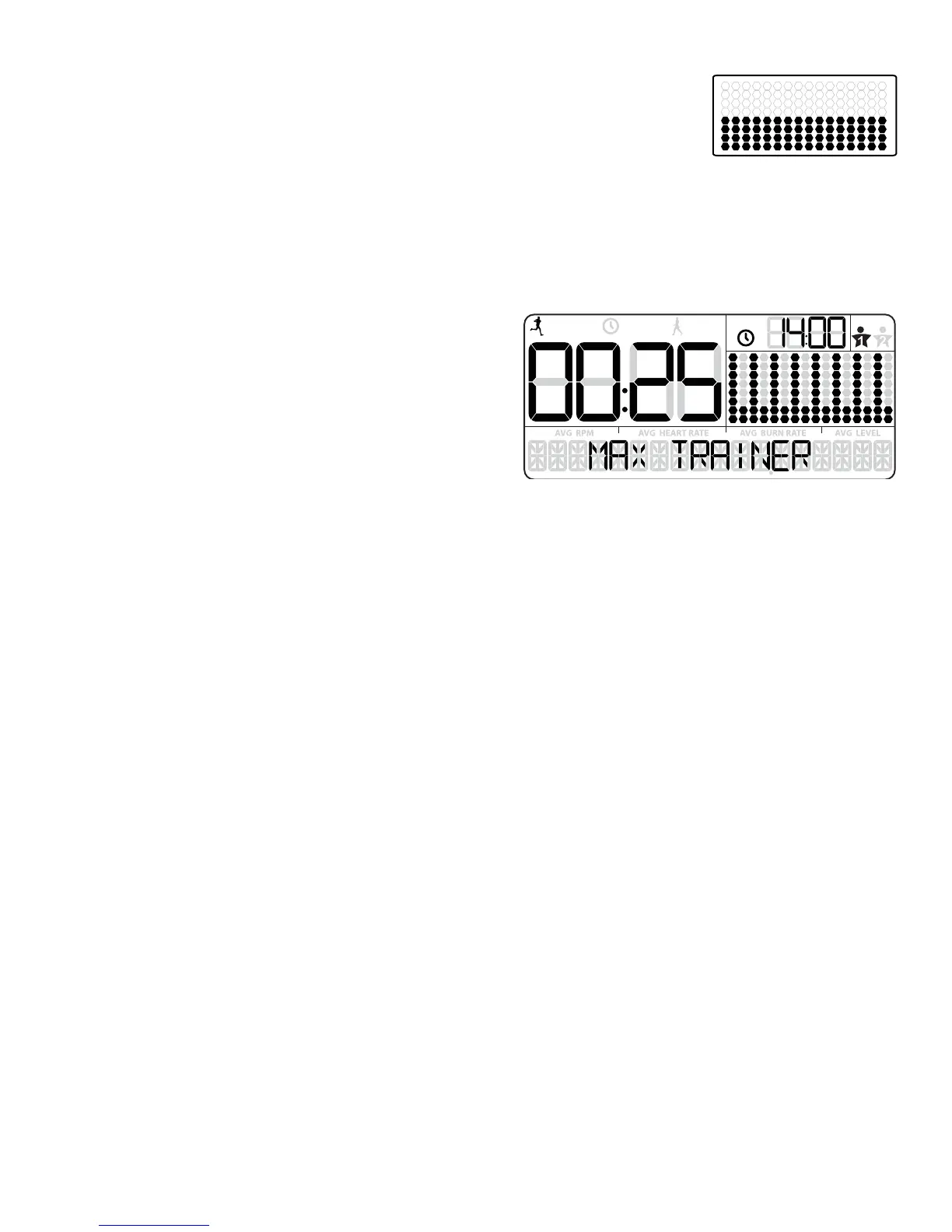
7KH0DQXDOZRUNRXWSURJUDPLVDQRSHQHQGHGZRUNRXWWKDWWUDFNV\RXUWRWDOWLPHDOORZLQJ\RXWRWDOFRQWURO7KH
:RUNRXW3UR¿OH'LVSOD\VKRZVWKH7DUJHW%XUQ5DWHIRUWKH0DQXDOSURJUDP
1. Stand on the machine.
3XVKWKH86(5EXWWRQWRVHOHFW\RXU8VHU3UR¿OH
3. Push the START button to begin the Manual workout program.
4. When done with your workout, stop pedaling and push PAUSE/STOP to pause the workout. Push the PAUSE/STOP button again to end the
workout.
MAX Interval Workout Program
The MAX Interval Workout Program is a workout that alternates from intense
bursts of output ( “ACTIVE” ), to a slower paced, ‘catch your breath’ time
period ( “REST” ), both of which are repeated over eight cycles. The Workout
3UR¿OH'LVSOD\VKRZVWKH7DUJHW%XUQ5DWHIRUWKH0$;,QWHUYDOSURJUDP
1. Stand on the machine.
3XVKWKH86(5EXWWRQWRVHOHFW\RXU8VHU3UR¿OH
Note: During the workout, the Console will show the Target LED Range
EDVHGRQWKHVHOHFWHG8VHU3UR¿OHVHWWLQJV
3. Push the MAX Interval button.
Note:7KH:RUNRXW3UR¿OH'LVSOD\ZLOODGMXVWWKH%XUQ5DWHSUR¿OHWRWKHFXUUHQW8VHUVHWWLQJV
4. The workout will begin with an audible countdown as the Burn Rate display needle sweeps across the display and then settles on the current
Burn Rate. The Target Burn Rate LED’s will also activate and sweep up to the recommended Burn Rate.
7KH¿UVWZRUNRXWVHJPHQWLVDQ³$&7,9(´LQWHUYDOWKDWODVWVIRUDVKRUWHUSHULRGRIWLPH6DIHO\SXVK\RXUVHOIWRJHWWKH%XUQ5DWHGLVSOD\LQWR
the Target Burn Rate (red LED’s) and keep it in the range until the time reaches 00:00.
Note: The Target Burn Rate (LED) Range is provided only as a suggested target. The 5 LED range provides a lesser target, and allows a User
WRSURJUHVVWRWKHKLJKHU/('¶VLQWKHUDQJHDVWKHLU¿WQHVVOHYHOLQFUHDVHV7RFKDQJHWKH7DUJHW%XUQ5DWH/('5DQJHSXVKWKHDS
propriate Burn Rate button until the Target Range is near the desired value.
At the last 3 seconds of the “ACTIVE” workout, the Console will begin an audible countdown.
$VWKHLQWHUYDOWLPHUHDFKHV³´WKH&RQVROHZLOOPDNHWKHWKLUGDXGLEOHFRQ¿UPDWLRQDQGWKHQH[WVHJPHQWRIWKHZRUNRXWD³5(67´VHJ
ment, will begin.
The Target LED Range will shift from red to green and sweep to a reduced Burn Rate. During the REST Interval, continue to workout but at a
lower level.
At the last 3 seconds of the “REST” workout, the Console will begin an audible countdown. The interval is about to shift from a “REST” to an
“ACTIVE” interval again.
$VWKHLQWHUYDOWLPHUHDFKHV³´WKH&RQVROHZLOOPDNHDQDXGLEOHFRQ¿UPDWLRQDQGVKLIWWRWKHQH[W³$&7,9(´VHJPHQW
The shift from “ACTIVE” to “REST” segments will repeat for a total of 8 cycles over the workout.
7. When the last “REST” segment is completed, the Console will display ”WORKOUT COMPLETE”, and then show the workout results. The Con
sole will display the total time of the “ACTIVE” intervals, along with TOTAL TIME. If there is no input for 5 minutes, the Console will automatically
go into Sleep Mode.
Note: ,IDQ,QWHUYDOZRUNRXWLVHQGHGEHIRUHDOOVHJPHQWVKDYHEHHQFRPSOHWHGWKH&RQVROHZLOORQO\VKRZWKHODVWVHJPHQWFRPSOHWHGRQ
WKH3URJUDP3UR¿OH
USER
TOTAL
ACTIVE
REST
TOT AL













 To Next Page