EasyManua.ls Logo

Bpt IPD/300LR US - Memory and Device Management; Text Entries and Memory Export; Memory Import and Deletion

Bpt IPD/300LR US
32 pages
Print Icon
To Next Page IconTo Next Page
To Previous Page IconTo Previous Page
Loading...
10
SETUP MENU
Calls filter
Call divert
Entry panels selection
Setup access code
Set clock
Call output mode
Stand-by time
(F3) key texts
Export
all
memory
Exporting
Memory ...........
Overwrite memory
Yes
No
SETUP MENU
Call divert
Entry panels selection
Setup access code
Set clock
Call output mode
Stand-by time
(F3) key texts
Export all memory
Import
all
memory
16
17
A
-Z DIR
--------------------------------------
(F3) key label:
XXXX12345
(F3) KEY TEXTSItali
Add
Modify
Delete one
R
ECORD SELECT 1
SETUP MENU
Users management
Calls filter
Call divert
Entry panels selection
Setup access code
Set clock
Call output mode
Stand-by time
(F3)
key
texts
15
(F3) key texts
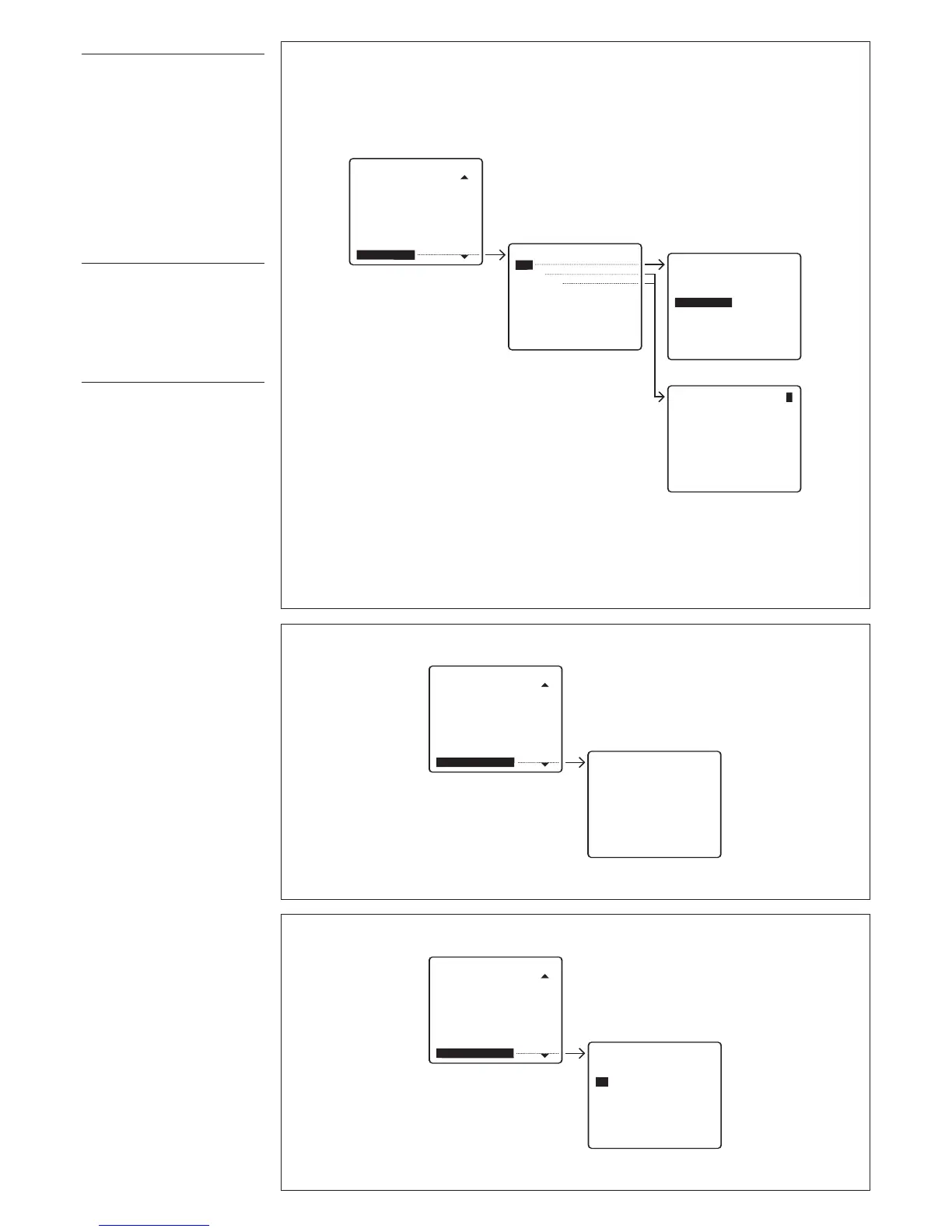
This allows you to insert texts in
o
rder to effect the call without
using the alphabet keys (fig. 15).
Add
Type in the text that you wish to
insert (9 max. numbers or let-
t
ers).
Modify/Delete one
S
elect the text that you wish to
change or cancel and press
SEND to confirm.
Export all memory
Exports IPD/300LR memory (fig.
1
6).
Once the export procedure is
r
un, it can be aborted using the
ESC
key.
Import all memory
Imports IPD/300LR memory (fig.
17).
To perform this operation, the
first porter must be set to memo-
ry export mode.
You will be asked to confirm
before the device’s memory is
overwritten.

Table of Contents

Related product manuals