2
3
4
ACCESS TO
PROGRAMMING MENU
Switch on the unit by pressing
the key (LED red lights): after
approx. 4 s, the switchboard is
operative.
T
o access the programming
menu, press keys and at
t
he same time and then enter the
access code (preset code:
12345) and confirm with the
key.
T
he unit version is showed on the
same screen.
P
ROGRAMMING MENU
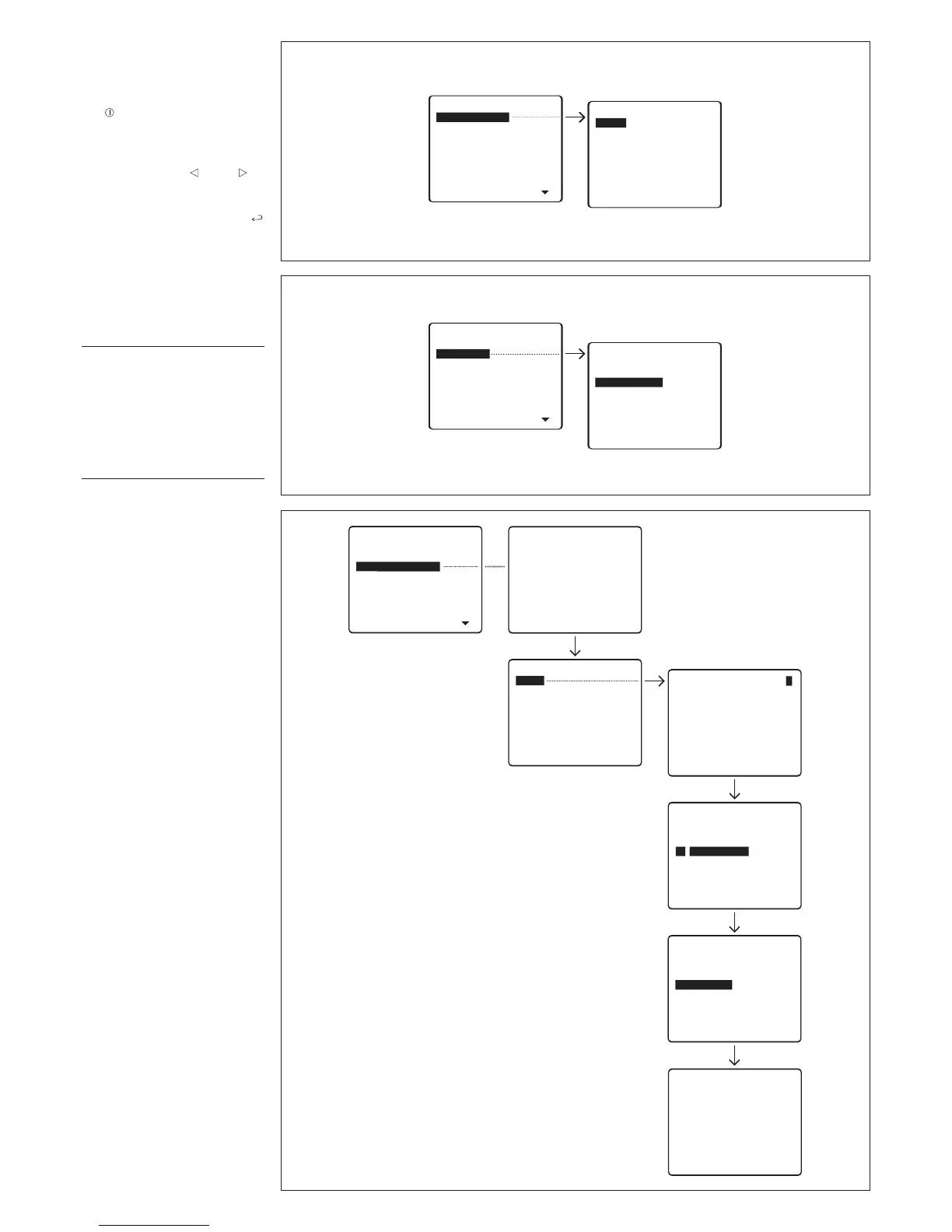
FUNCTIONS
Lingua/Language
Italiano
English (select the desired lan-
guage for the programming
menu messages) (fig. 2).
The language options are Italian
and English.
Ring volume
The available options are (fig. 3):
Ring disabled
Low volume
Medium volume
High volume.


 To Next Page